Swing Suite Trading Strategies
The TRN Swing Suite provides the structural framework for your trading decisions. This guide presents four strategies that combine Swing Suite features with other TRN Trading System indicators, each with defined entry criteria, stop placement, and target logic. Every strategy follows the same principle: structure first, confirmation second, execution third.
The Swing Suite fills the Structure role in the TRN Trading System. Pair it with Price Action Suite for context and Trend Bars Pro for entry timing.
Strategy 1: Swing Trend + Trend Bars Pro Entry
This strategy uses the Swing Suite trend direction as your directional bias and Trend Bars Pro signal bars for precise entry timing.
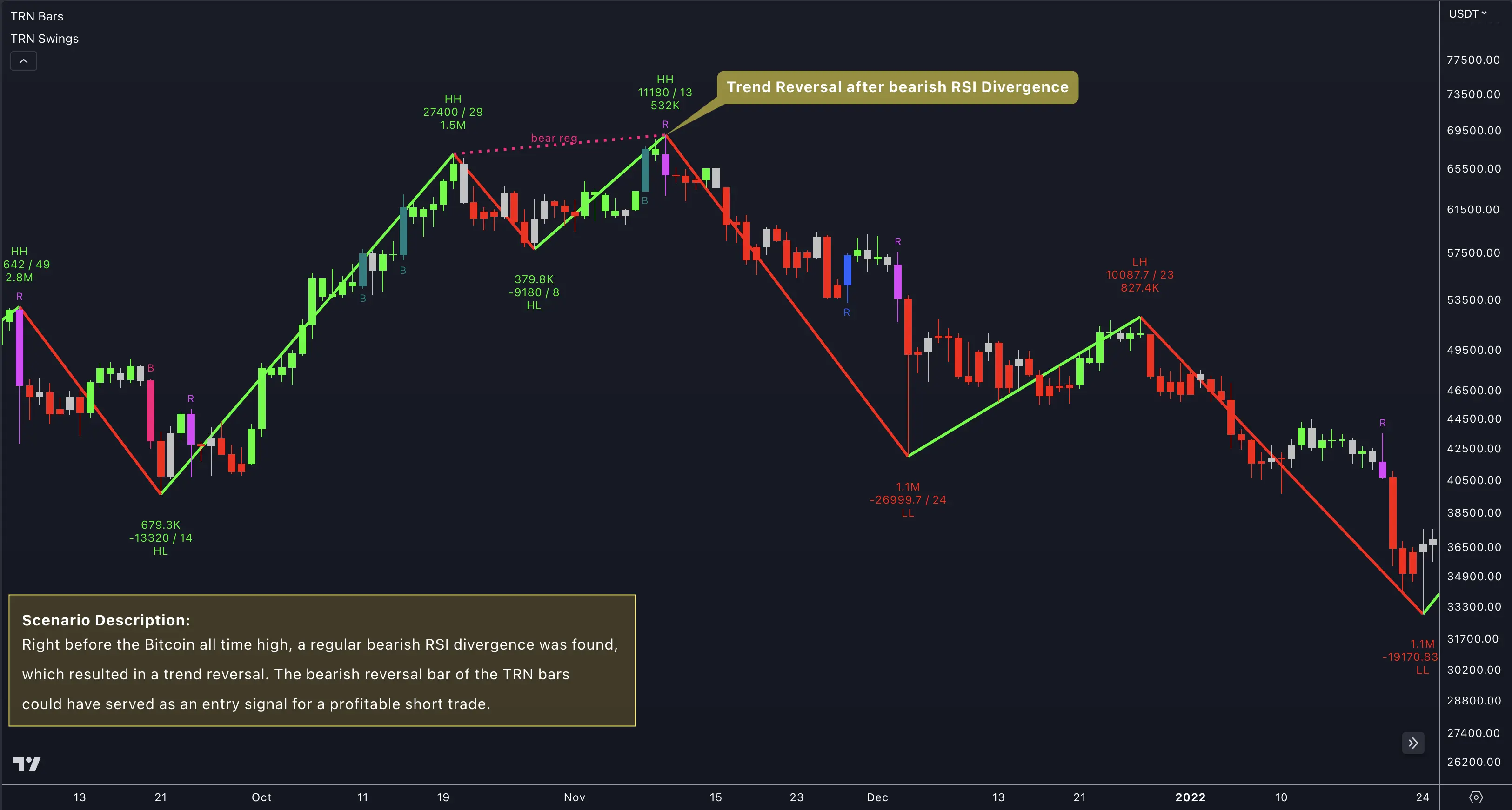
Long Setup
- Confirm the Swing Suite trend is up (higher highs and higher lows forming).
- Wait for price to pull back toward a recent swing low or support level.
- Look for a bullish Trend Bars Pro signal bar at or near that pullback level.
- Enter on the open of the bar following the confirmed signal bar.
- Place your stop below the most recent swing low.
- Target the next swing high or use the Swing Statistics average up-swing length as a reference.
Short Setup
- Confirm the Swing Suite trend is down (lower highs and lower lows forming).
- Wait for price to rally toward a recent swing high or resistance level.
- Look for a bearish Trend Bars Pro signal bar at or near that rally level.
- Enter on the open of the bar following the confirmed signal bar.
- Place your stop above the most recent swing high.
- Target the next swing low or use the average down-swing length from the statistics table.
This approach works on any timeframe. On lower timeframes, use a smaller swing size setting in the Swing Suite so the trend updates frequently. On higher timeframes, the default swing size captures the broader structural trend.
Strategy 2: Divergence Confirmation at Key Levels
This strategy layers Swing Suite divergence detection on top of Price Action Suite levels to find high-probability reversal entries.
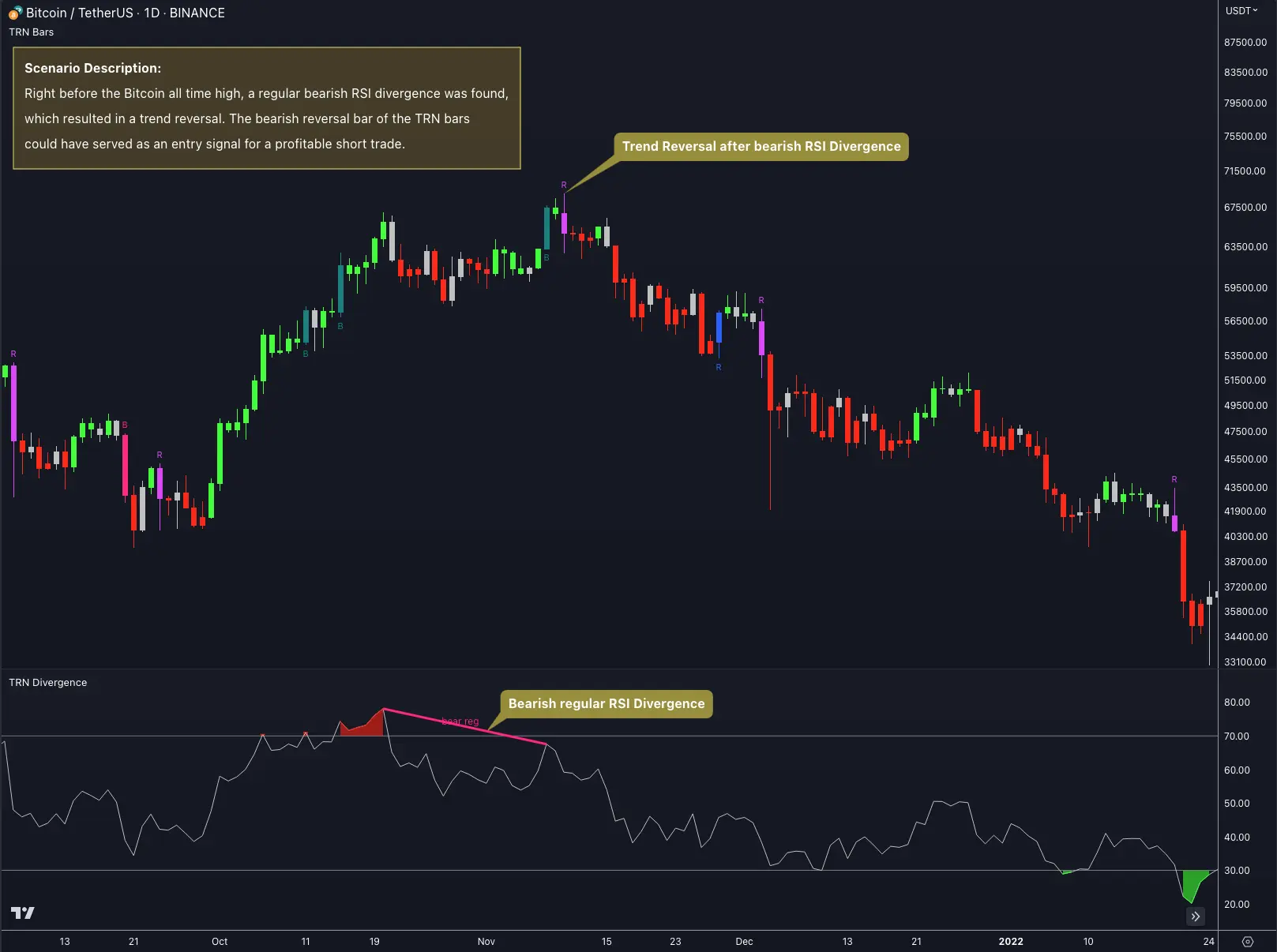
Setup Criteria
- Price reaches a significant level from the Price Action Suite -- previous day high/low, session high/low, or a supply/demand zone.
- The Swing Suite detects a regular or hidden divergence at that level.
- Wait for Trend Bars Pro to confirm the reversal direction with a signal bar.
- Enter on the open of the bar following the confirmed signal bar.
Stop and Target
- Stop: Place beyond the swing point that anchors the divergence. For a bullish divergence at a swing low, the stop goes below that low.
- Target: Use the opposing Swing Suite support or resistance level, or reference the average swing length from the statistics table. Minimum risk-to-reward ratio of 2:1.
When to Skip
Skip the setup if the divergence forms far from any meaningful price level. Divergence at random prices lacks the structural backing that makes this strategy effective. The level is what gives the divergence its significance.
Strategy 3: Multi-Trend Confirmation
The Swing Suite can display up to three trend layers simultaneously. This strategy trades only when all three layers agree on direction.
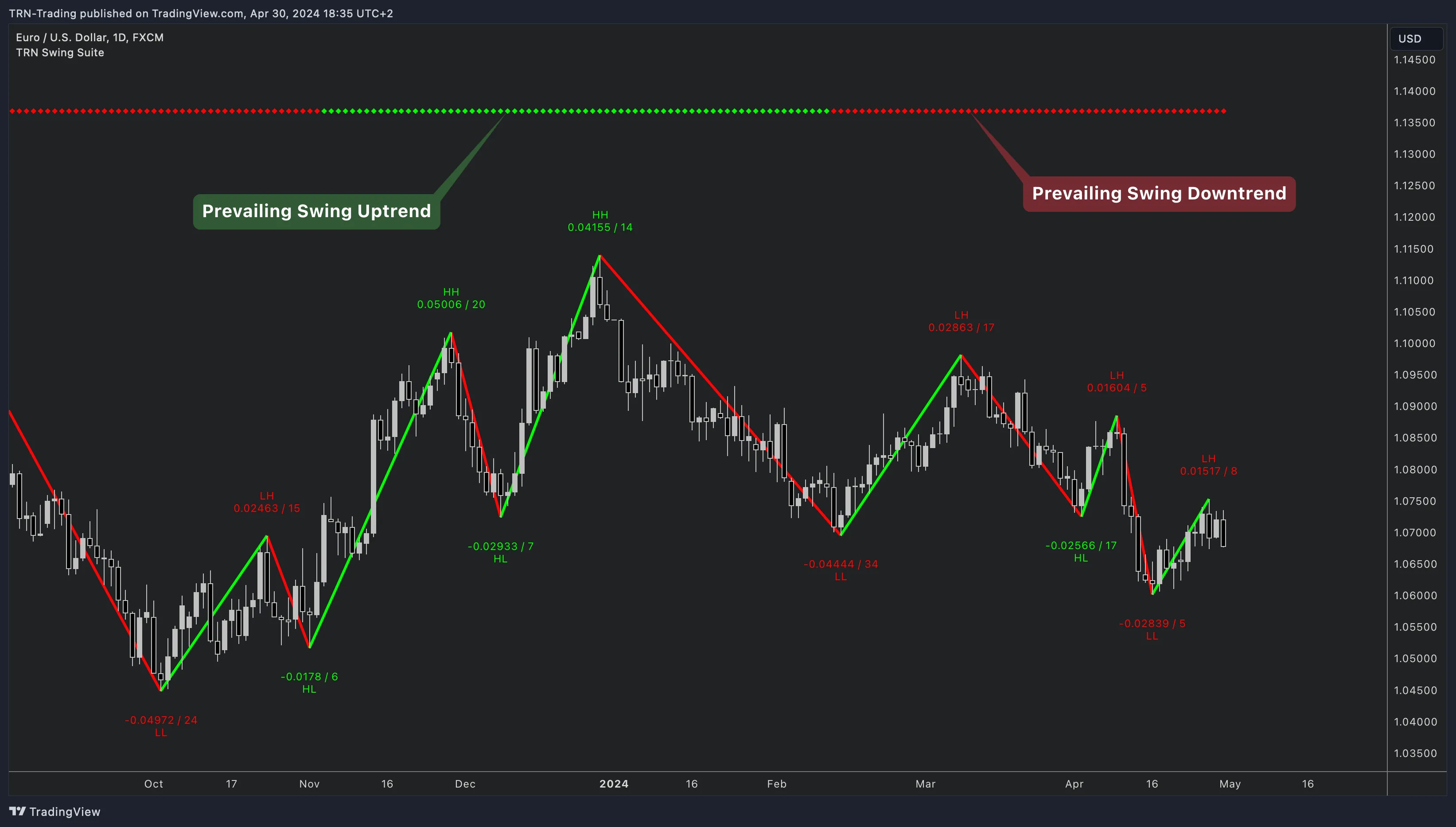
Configuration
- Trend 1: Small swing size -- captures short-term structure.
- Trend 2: Medium swing size -- tracks intermediate swings.
- Trend 3: Large swing size -- reflects the dominant market direction.
Display all three trends at the top or bottom of your chart for a quick visual read.
Trade Rules
- All three trends must point in the same direction.
- Enter using any of the other strategies in this guide (swing trend pullback, divergence, or statistics-based entry).
- When all three trends align, you can increase position size or widen your target because the structural support across timeframes is stronger.
Conflict Management
When the trends disagree -- for example, Trend 1 is up but Trend 3 is down -- step aside. A conflict between trend layers means the market is in a transitional phase. Wait for realignment before entering new positions.
Multi-trend confirmation acts as a regime filter. Use it to decide whether to trade at all on a given session, not just for individual setups.
Strategy 4: Statistics-Based Edge
The Relation Statistics table provides transition probabilities between swing point types. This strategy uses those probabilities to select higher-conviction entries.
Process
- After a swing point is confirmed (for example, a Higher High), open the Relation Statistics table.
- Check which swing point type most commonly follows. If HH is followed by HL in 65 percent or more of cases, the probability favors a pullback to a higher low rather than a trend reversal.
- Position for the high-probability outcome. In this example, look for a long entry as price pulls back from the HH, expecting an HL to form.
- If the table shows a low-probability transition for your intended trade, skip it or wait for additional confirmation.
Combining with Swing Length Data
Use the Swing Statistics table to estimate how far the expected swing might travel. If the average down-swing length is 50 points and price has already dropped 45 points from the recent high, the pullback may be nearing completion. Enter the trade with a tight stop just beyond the average swing distance.
Sample Workflow
- Swing Suite confirms a Higher High.
- Relation Statistics show HL follows HH in 68 percent of cases.
- Price pulls back. Swing Statistics show the average down-swing is 40 points; current pullback is 38 points.
- Trend Bars Pro prints a bullish signal bar at the pullback level.
- Enter long with a stop below the expected HL zone, targeting the next HH.
Risk Management Framework
Every strategy above shares a common risk management approach grounded in Swing Suite structure.
Stop Placement
Swing points are your structural invalidation levels. Place stops beyond the swing point that defines your trade thesis:
- Long trades: Stop below the swing low that serves as your structural support.
- Short trades: Stop above the swing high that serves as your structural resistance.
Target Selection
Layer multiple target references for a clear exit plan:
- Swing Suite levels: The next support or resistance level in the direction of your trade.
- Statistics averages: The average swing length from the Swing Statistics table applied from your entry point.
- Price Action Suite levels: Supply/demand zones or market structure features that align with the statistical target.
Position Sizing
Scale your position size based on the structural quality of the setup. A trade with multi-trend confirmation, a divergence signal, and favorable statistics deserves a larger allocation than a single-layer setup. Keep your total risk per trade constant by adjusting position size relative to stop distance.
FAQ
Which Swing Suite strategy works best for beginners?
The Swing Trend plus Trend Bars Pro entry strategy is the most straightforward approach in the Swing Suite. It uses the swing trend direction as your bias and waits for a Trend Bars Pro signal bar aligned with that trend for entry. The rules are clear and mechanical, making it a strong starting point before layering in divergence or multi-trend confirmation techniques.
How does the Swing Suite multi-trend confirmation strategy reduce false signals?
The Swing Suite multi-trend confirmation strategy enables three trend layers on a single chart. Trend 1 tracks small swings, Trend 2 tracks medium swings, and Trend 3 tracks large swings. When all three align in the same direction, you have structural agreement across multiple swing sizes. This alignment filters out trades where short-term momentum conflicts with the broader market structure, reducing the frequency of false signals.
How should I place stops when trading with the Swing Suite?
The Swing Suite provides natural stop-loss locations at confirmed swing points. For long trades, place your stop below the most recent swing low. For short trades, place it above the most recent swing high. The swing point represents the structural level that must hold for your trade thesis to remain valid. If price breaks it, the structure has changed and the trade should be exited.
Can I use the Swing Suite Relation Statistics to filter trade setups?
Yes. The Swing Suite Relation Statistics table shows the historical probability of each swing point type following another. Before entering a trade, check whether the expected next swing point has a probability above 50 percent. For example, if you are looking for a Higher Low after a Higher High and the table shows that transition occurs 65 percent of the time, the statistical backdrop supports your setup.