Opening Range Pro
Opening Range Pro is the Bias indicator of the TRN Trading System. It answers the question: "Which direction should I trade this session?" Use it after establishing context with Price Action Suite and before analyzing structure with Swing Suite.
Opening Range Pro captures the defining range of each major trading session — Asia, London, and New York — and projects actionable levels that serve as session-specific support, resistance, and directional bias markers. When price breaks above the OR high, session bias is bullish. When price breaks below the OR low, session bias is bearish. Standard deviation expansion bands provide statistically grounded profit targets for the remainder of the session.
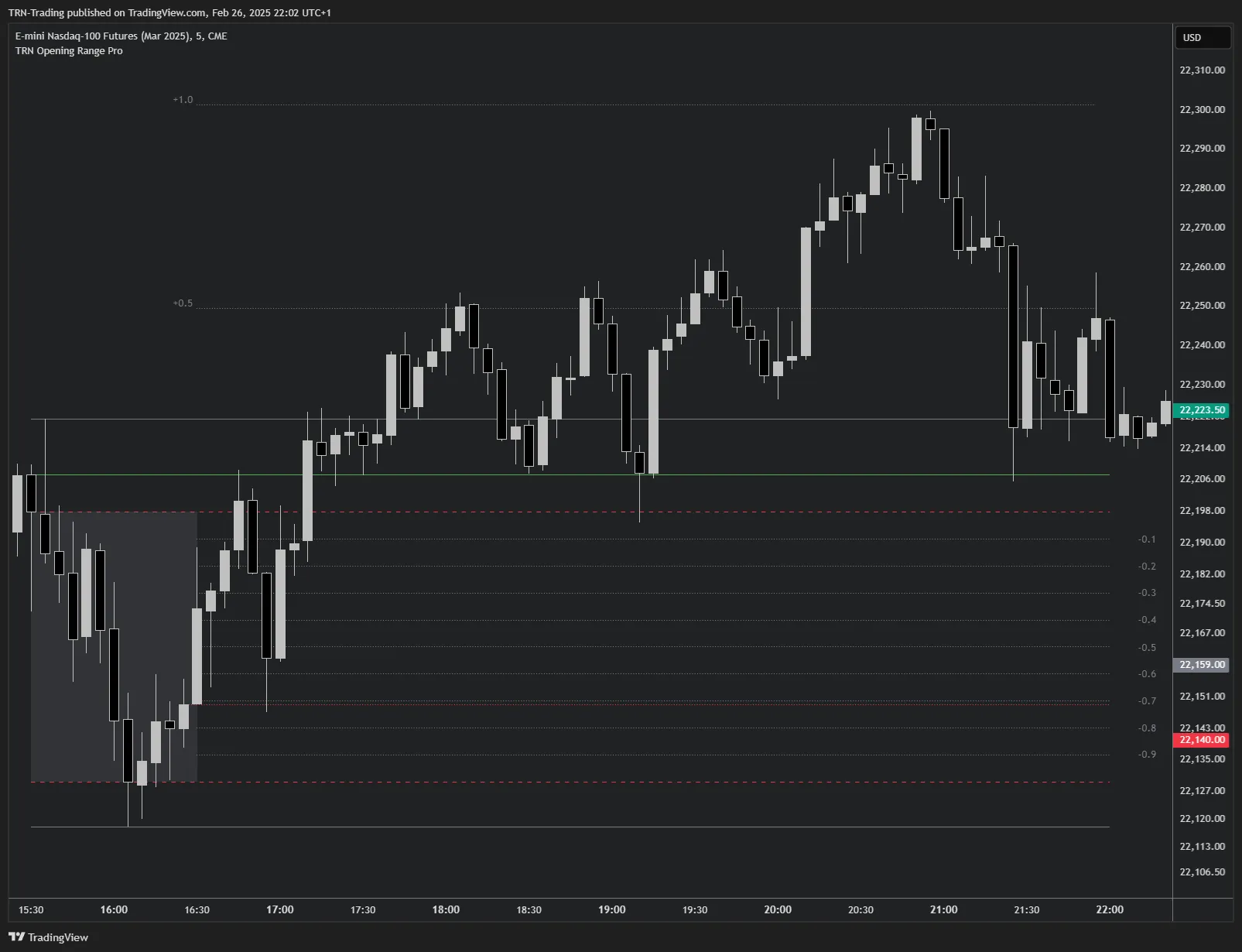
Key Features
Opening Range Levels
OR High/Low (wick-based), IOR High/Low (body-based), OR Open, and OR Close — two layers of session structure from one defining range period.
Standard Deviation Bands
0.5, 1.0, 1.5, and 2.0 SD expansion levels above and below the OR — statistically grounded profit targets and reversal zones.
3-Session Support
Asia, London, and New York sessions with independent defining ranges, timezone-aware detection, and session close tracking.
How Session Bias Works
Opening Range Pro establishes directional bias through a simple but powerful framework. During the first 30–60 minutes of each session, institutional participants establish their initial positions. The range formed during this defining period — the Opening Range — represents the session's initial equilibrium zone.
Once the defining range period ends, Opening Range Pro projects its levels across the entire session. A breakout above the OR high confirms bullish session bias. A breakout below the OR low confirms bearish bias. Approximately 90% of sessions breach the opening range, and approximately 80% of the time the opposite side remains untouched after a breakout — giving this framework a strong statistical foundation.
Quick Setup
- Add Opening Range Pro to any intraday TradingView chart (works on timeframes up to 30 minutes)
- All three sessions (Asia, London, New York) are enabled by default
- OR box, OR High/Low, IOR levels, and Open line are visible by default
- Enable Standard Deviation Levels for profit targets beyond the range
- Enable Inner Levels for precision entries within the range
Opening Range Pro defines WHERE to establish session bias. Combine it with Price Action Suite levels for daily/weekly context, Swing Suite trend direction for structural confirmation, and Trend Bars Pro signal bars for precise entry timing after the OR breakout.
FAQ
What does Opening Range Pro do?
Opening Range Pro captures the defining range of each major trading session — Asia, London, and New York — and projects key structural levels from it. These include OR High/Low (wick-based), IOR High/Low (body-based), OR Open, OR Close, standard deviation expansion bands, and inner division levels. The indicator establishes a session-specific directional bias: price breaking above the OR high signals bullish bias, below the OR low signals bearish bias.
What role does Opening Range Pro play in the TRN Trading System?
Opening Range Pro fills the BIAS role in the TRN Trading System's 4-step decision flow: Context (Price Action Suite) → Bias (Opening Range Pro) → Structure (Swing Suite) → Entry (Trend Bars Pro). After establishing market context, Opening Range Pro answers "Which direction should I trade this session?" by defining session equilibrium and directional breakout levels.
Which timeframes work with Opening Range Pro?
Opening Range Pro displays on intraday timeframes up to 30 minutes. On higher timeframes (1 hour and above), the indicator automatically hides because the opening range concept applies to intraday session analysis. For best results, use 1-minute to 15-minute charts where the session structure is most visible.
Can Opening Range Pro show multiple sessions simultaneously?
Yes, Opening Range Pro supports Asia, London, and New York sessions simultaneously on the same chart. Each session operates independently with its own defining range, OR levels, standard deviation bands, and inner divisions. Enable or disable each session individually in the Sessions settings group.