Swing Suite Support and Resistance Levels
The TRN Swing Suite automatically plots horizontal support and resistance levels derived from confirmed swing points. These levels mark the prices where buyers stepped in (support) or sellers took control (resistance), giving you a structural framework for planning entries, exits, and stop placement.
How Swing Levels Work
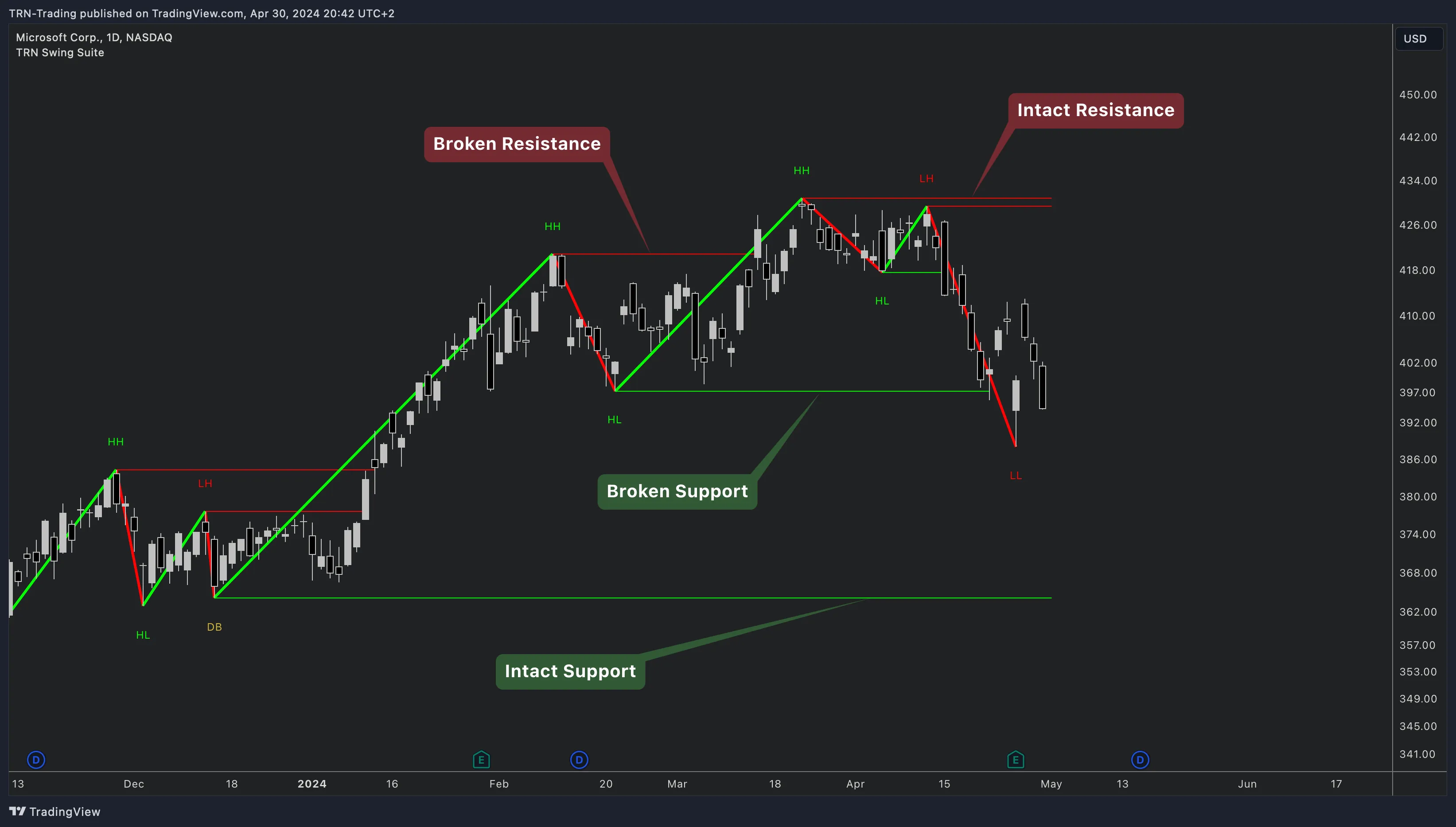
Every confirmed swing low produces a support level and every confirmed swing high produces a resistance level. The Swing Suite draws these as horizontal lines extending to the right from the swing point, making it straightforward to see which prices are structurally significant.
Support Levels
Support levels originate from swing lows where buying pressure overcame selling pressure and price reversed upward. These levels represent prices where demand historically entered the market.
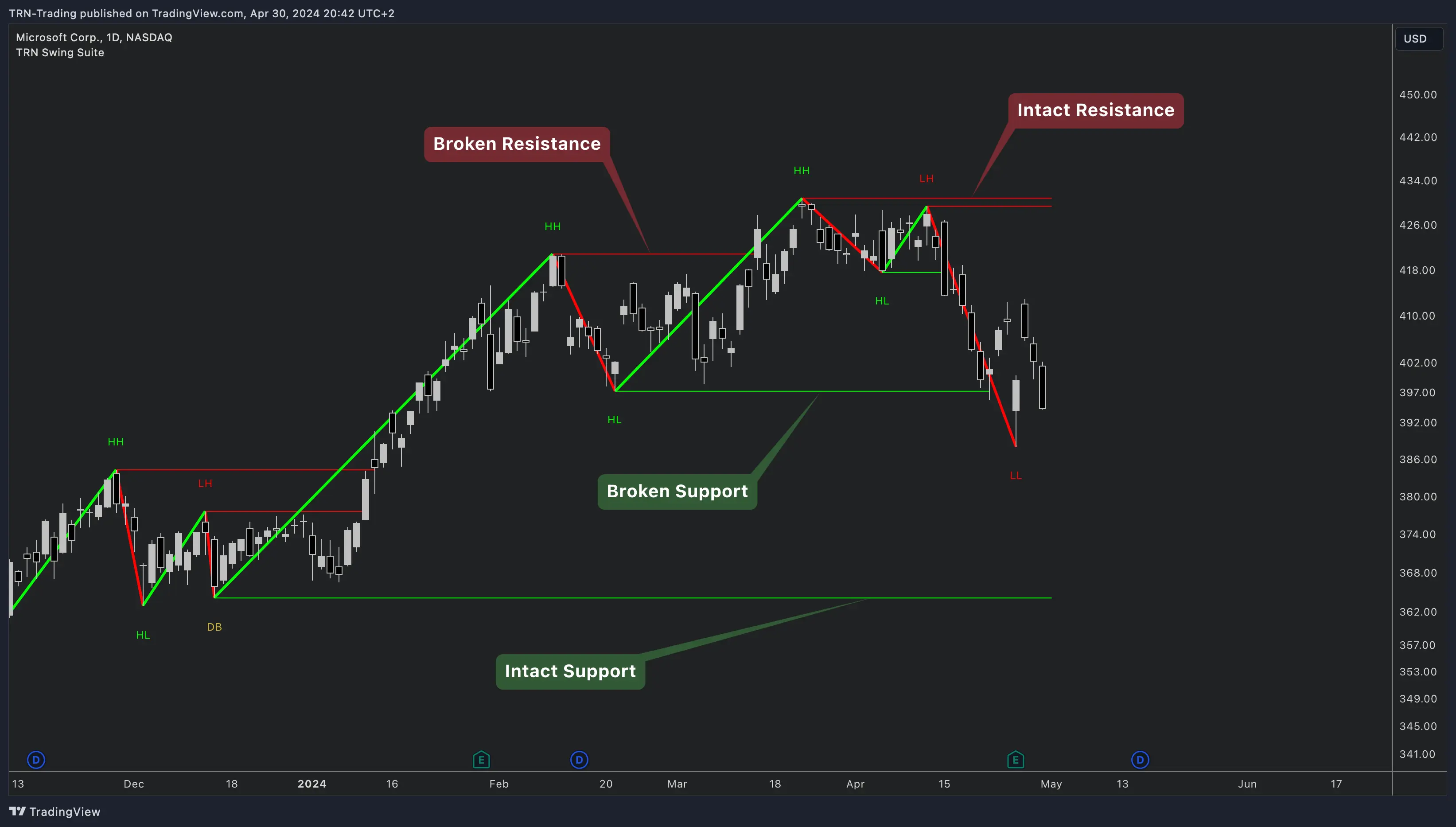
When price returns to a support level, watch for reactions. A bounce confirms the level is still intact. A decisive break below it signals that the demand at that price has been absorbed, and the level is removed from the chart.
Resistance Levels
Resistance levels originate from swing highs where selling pressure overcame buying pressure and price reversed downward. These levels represent prices where supply historically entered the market.
When price approaches a resistance level, look for rejection patterns. A reversal confirms active supply. A clean break above the level removes it, indicating that the prior supply has been consumed.
Level Lifecycle
Each level follows a defined lifecycle that keeps your chart focused on what matters.
- Creation -- A new level appears when the Swing Suite confirms a swing high or swing low.
- Active -- The level persists on the chart as a horizontal line. Price may test it multiple times.
- Removal -- The level is removed when price breaks through it or when the configured lifespan expires.
This automatic cleanup prevents stale levels from cluttering your chart. Only levels that are still within their lifespan and unbroken remain visible.
When a support level is broken, the concept of polarity suggests it may act as resistance on a retest, and vice versa. While the Swing Suite does not automatically redraw broken levels in their new role, experienced traders monitor these price zones for polarity-based setups.
Settings
Configure support and resistance levels in the Swing Suite indicator settings panel.
| Setting | Description |
|---|---|
| Show Support | Toggle support level visibility on or off. Includes a color picker for the support lines. |
| Show Resistance | Toggle resistance level visibility on or off. Includes a color picker for the resistance lines. |
| Lifespan (bars) | How many bars a level remains on the chart before it expires. Higher values preserve levels longer. |
| Line Style | Solid, dashed, or dotted lines for level visualization. |
| Line Width | Thickness of the level lines for visual emphasis. |
Use contrasting colors for support (green tones) and resistance (red tones) so you can distinguish them at a glance. Keep the line style consistent with your overall chart theme.
Trading with Swing Levels
Confluence with Price Action Suite
Swing Suite levels gain additional weight when they align with Price Action Suite supply and demand zones or market structure features. A swing low support level sitting inside a demand zone creates a confluent area where a reaction is more likely.
Entry Timing
Identify a level where you expect a reaction, then use Trend Bars Pro signal bars to time your entry. The level provides the location; the signal bar provides the trigger. This two-step process filters out premature entries at levels that ultimately fail.
Stop Placement
Place stops beyond the swing point that created the level. If you are buying at a support level drawn from a swing low, your stop goes below that swing low. The level itself is your thesis; if price breaks it, the thesis is invalidated.
Target Setting
Use the next opposing level as a natural target. If you enter long at support, the nearest resistance level above provides a logical take-profit area. Check the statistics tables for average swing lengths to validate whether the distance to your target is realistic.
FAQ
How does the Swing Suite determine support and resistance levels?
The Swing Suite draws horizontal support levels at confirmed swing lows and resistance levels at confirmed swing highs. Each level persists on the chart for a configurable number of bars defined by the Lifespan setting. When price breaks through a level, the Swing Suite removes it from the chart, keeping your workspace clean and focused on levels that still influence current price action.
What happens when price breaks a Swing Suite support or resistance level?
When price breaks through a support or resistance level, the Swing Suite removes that level from the chart. In practice, broken support often acts as future resistance and broken resistance often acts as future support. You can observe this polarity flip principle on your chart by watching how price reacts when it returns to a previously broken level.
How should I combine Swing Suite levels with other TRN indicators?
Swing Suite support and resistance levels work well alongside Price Action Suite features like supply and demand zones and fair value gaps. When a Swing Suite level aligns with a Price Action Suite zone, the confluence increases the probability of a reaction. Use Trend Bars Pro to time your entry once price reaches a confluent level.
What Lifespan setting should I use for Swing Suite levels?
The Lifespan setting controls how many bars a level remains on the chart before it expires. Shorter lifespans keep the chart clean by removing stale levels. Longer lifespans preserve levels that may still be relevant. For intraday charts, a moderate lifespan works well. For daily and weekly charts, consider a longer lifespan so that significant swing levels remain visible across multiple weeks of price action.