Trend and Reversal Scanner
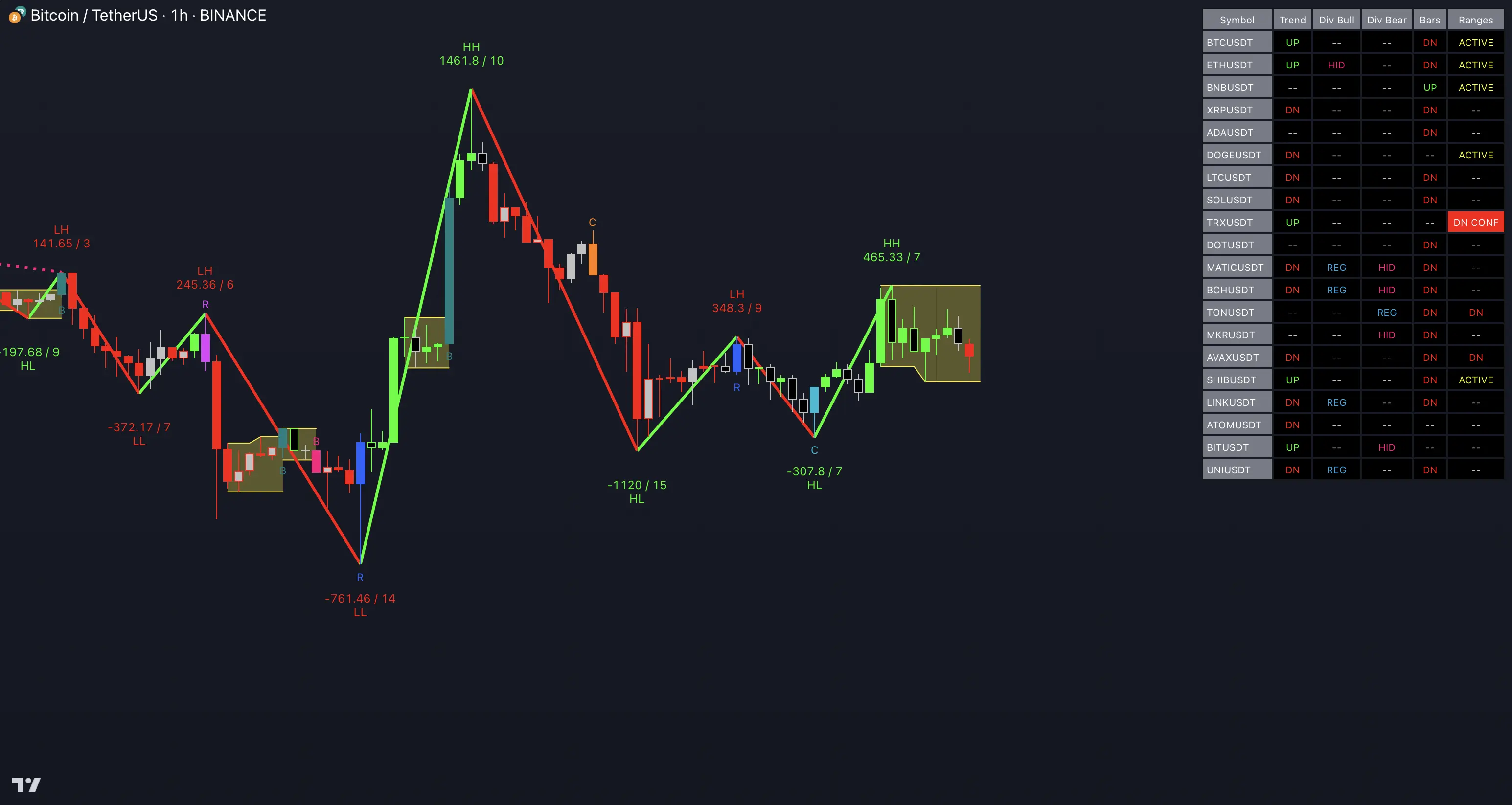
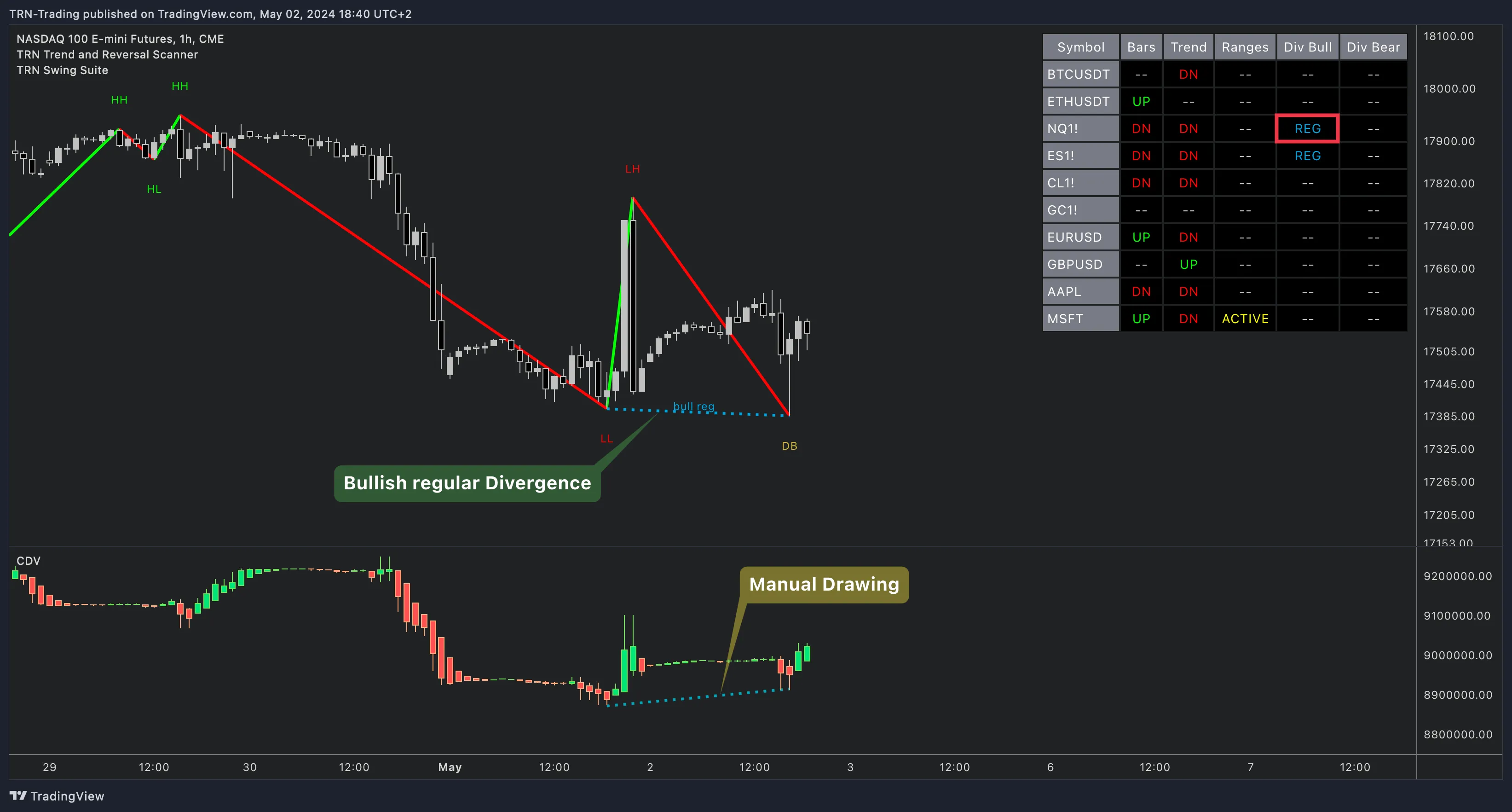
The Trend and Reversal Scanner monitors up to 20 symbols across five analysis dimensions — bar trend, swing trend, ranges, bullish divergence, and bearish divergence — in a single real-time TradingView table. Instead of cycling through charts one by one, the Trend and Reversal Scanner consolidates trend direction, reversal signals, range breakouts, and divergence status for your entire watchlist into one overlay.
Key Features
5 Analysis Columns
Bar Trend, Swing Trend, Bar Ranges, Bullish Divergence, and Bearish Divergence — each independently togglable to focus on the data that matters most.
20-Symbol Watchlist
Monitor crypto, forex, futures, and stocks simultaneously. Ten symbols enabled by default with full customization for all twenty slots.
18 Alert Types
Confirmed and In-Progress alert tiers for swing trends, divergences, reversal bars, continuation bars, and range breakouts.
What the Scanner Tracks
The Trend and Reversal Scanner evaluates every symbol in your watchlist across five simultaneous analysis dimensions. Each dimension updates in real-time and displays its current state directly in the scanner table using color-coded status cells.
Bar Trend
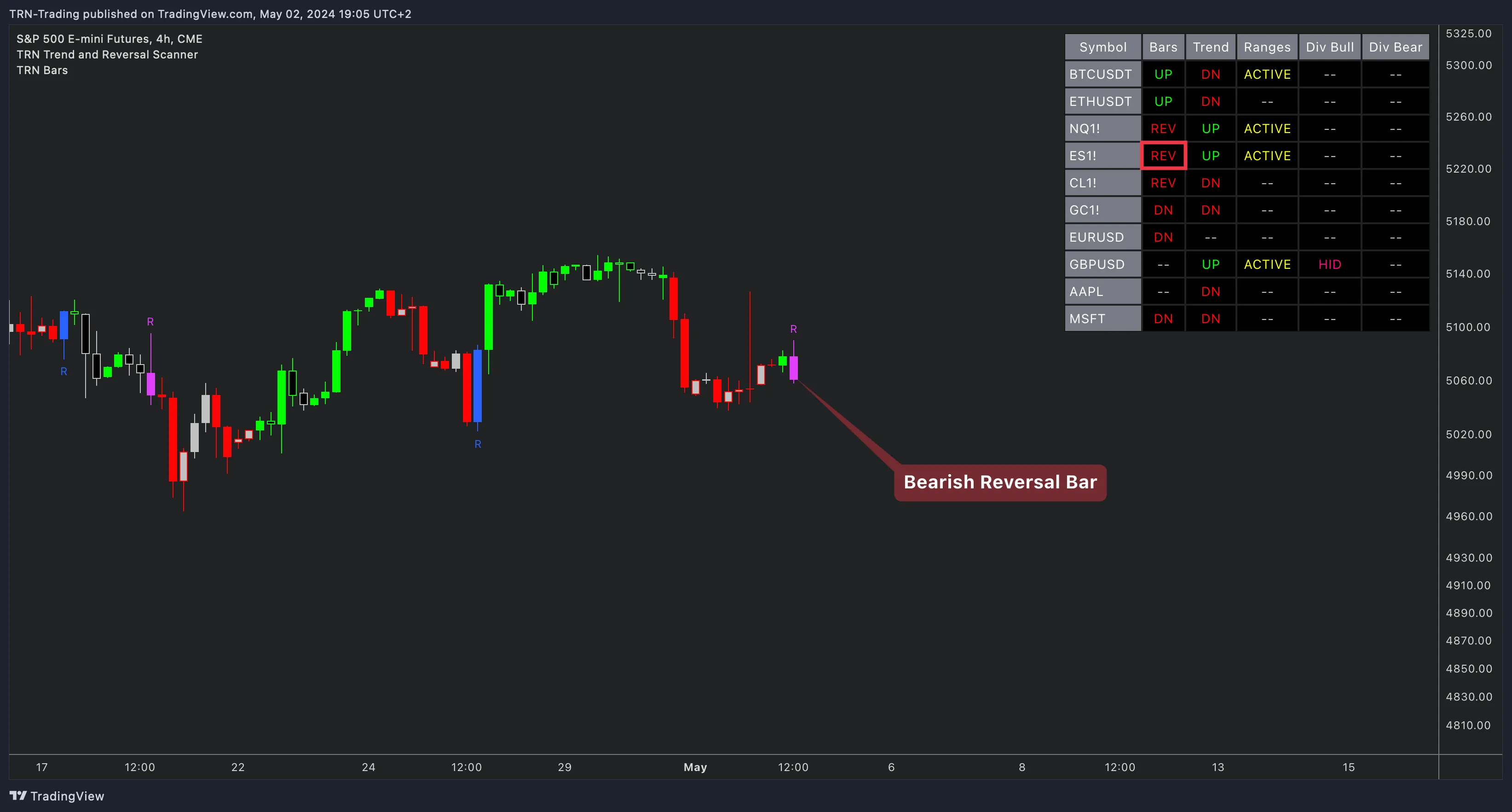
The Bar Trend column shows the current bar-level direction and signal bar type for each symbol. States include UP, DN (directional trend), REV (reversal bar detected), CON (continuation bar), and B/O (range breakout bar). This column mirrors the signal bar detection from Trend Bars Pro.
Swing Trend
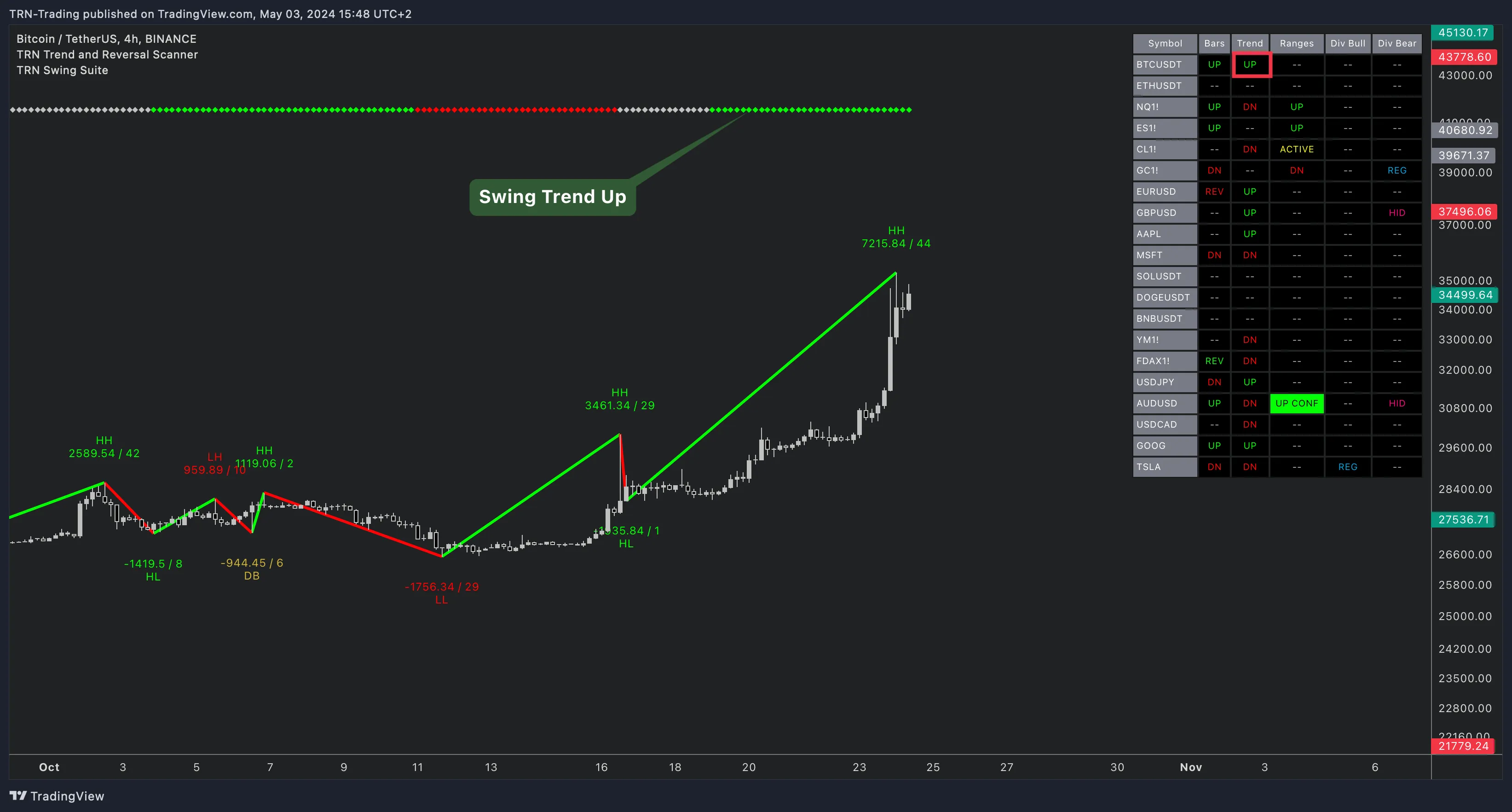
The Swing Trend column tracks the higher-level trend direction based on swing point progression. The Trend and Reversal Scanner identifies whether each symbol is in a bullish or bearish swing trend using configurable swing size and DTB strength parameters — the same detection engine that powers the Swing Suite.
Bar Ranges
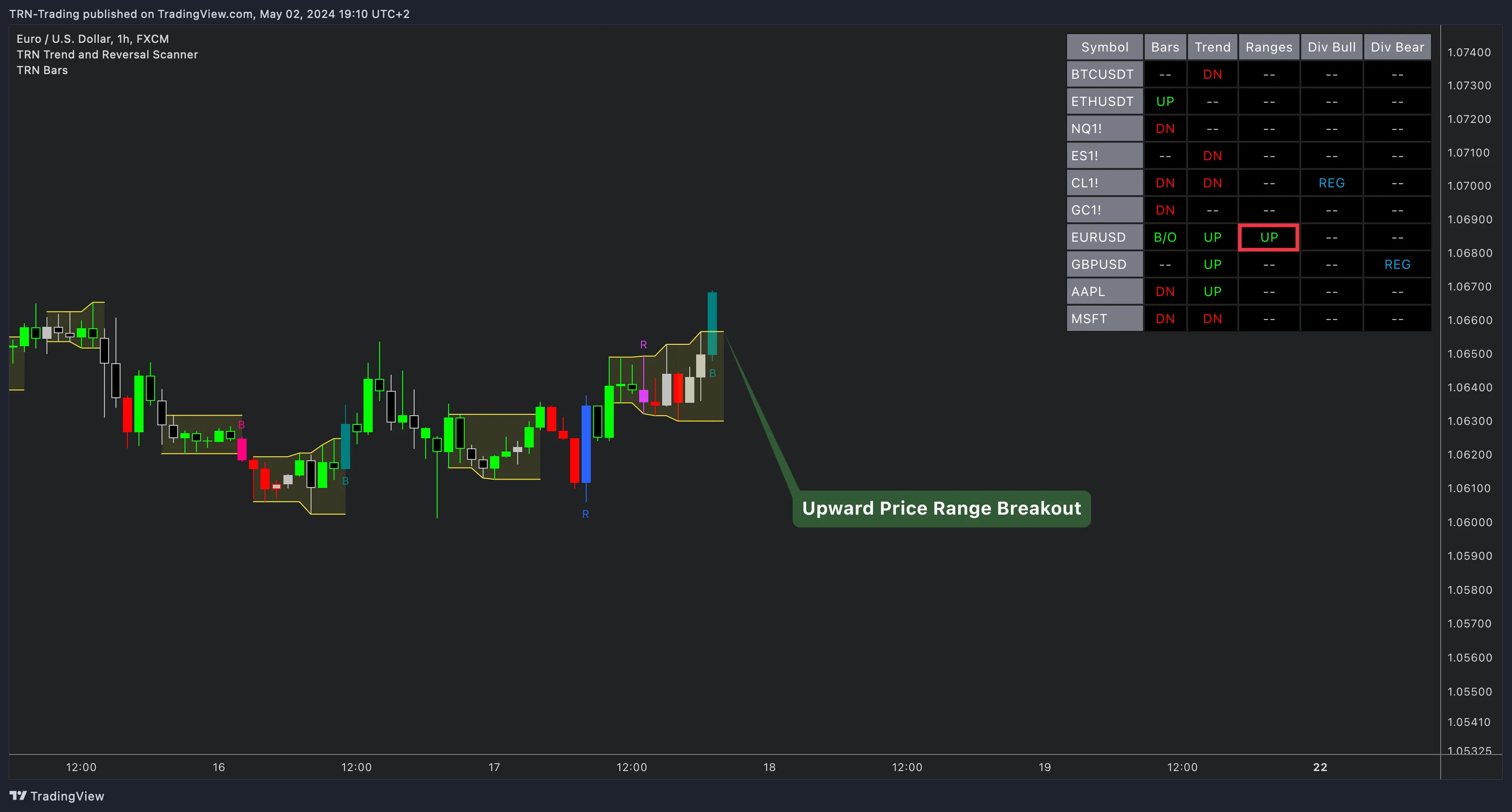
The Bar Ranges column monitors range formations and breakouts. States progress from inactive (--) through ACTIVE (range forming) to UP/DN (breakout detected) and UP CONF/DN CONF (breakout confirmed on bar close). Confirmed breakouts highlight with green or red background cells for immediate visibility.
Divergence Detection
Two dedicated columns — Bullish and Bearish — track regular and hidden divergences across all scanned symbols. The Trend and Reversal Scanner supports 14 oscillator sources including RSI, MACD, Cumulative Delta, CCI, Stochastic, and an external indicator input. Divergence states show REG, HID, REG CONF, or HID CONF with distinct color coding.
Quick Setup
- Add Trend and Reversal Scanner to your TradingView chart
- Ten symbols are enabled by default — customize via the Symbols section in indicator settings
- All five analysis columns are active by default — toggle individual columns in the Columns section
- Choose your preferred divergence oscillator in the Divergence Detection section (default: Cumulative Delta)
- Configure alerts for the signal types you trade
The Trend and Reversal Scanner combines analysis from Trend Bars Pro (bar trends and signal bars), Swing Suite (swing trends and divergences), and range detection into a single multi-symbol dashboard. Use it as a watchlist screener to identify which instruments deserve a closer look on their individual charts.
FAQ
How many symbols can the TRN Trend and Reversal Scanner monitor at once?
The Trend and Reversal Scanner monitors up to 20 symbols simultaneously in a single TradingView table. Ten symbols are enabled by default — including BTC, ETH, NQ, ES, CL, GC, EURUSD, GBPUSD, AAPL, and MSFT — with the remaining ten slots available for any tradable instrument on TradingView.
What analysis columns does the Trend and Reversal Scanner display?
The Trend and Reversal Scanner displays five analysis columns per symbol: Bar Trend (current bar direction and signal bars), Swing Trend (higher-level trend direction), Bar Ranges (range formations and breakouts), Bullish Divergence, and Bearish Divergence. Each column can be independently enabled or disabled.
Does the Trend and Reversal Scanner detect divergences?
Yes, the Trend and Reversal Scanner detects both regular and hidden divergences in bullish and bearish directions. Traders can choose from 14 oscillator sources — including RSI, MACD, Cumulative Delta, Stochastic, and an external indicator input — to power the divergence detection engine.
Can I set alerts on the Trend and Reversal Scanner?
The Trend and Reversal Scanner supports 18 alert types organized into Confirmed and In-Progress categories. Confirmed alerts fire on bar close for validated signals, while In-Progress alerts provide early warnings during bar formation. Each alert includes the symbol name and timeframe in the message.
What instruments work with the Trend and Reversal Scanner?
The Trend and Reversal Scanner works with any instrument available on TradingView — stocks, forex, crypto, futures, indices, and commodities. The default watchlist covers major crypto pairs, US index futures, forex majors, and large-cap stocks, but every slot is fully customizable.
Next Steps
Multi-Symbol Scanning
Learn how symbol configuration, column toggles, and signal states work in the scanner table.
Alert System
Set up Confirmed and In-Progress alerts for 18 signal types across all scanned symbols.
Scanner Settings
Configure divergence detection, swing parameters, styling presets, and exchange name display.