Trading Sessions — Asia, London, New York
The Price Action Suite marks the three major trading sessions directly on your chart so you always know which market is driving price. Session awareness is the first step toward understanding why price moves at specific times of day — and why it stalls at others.
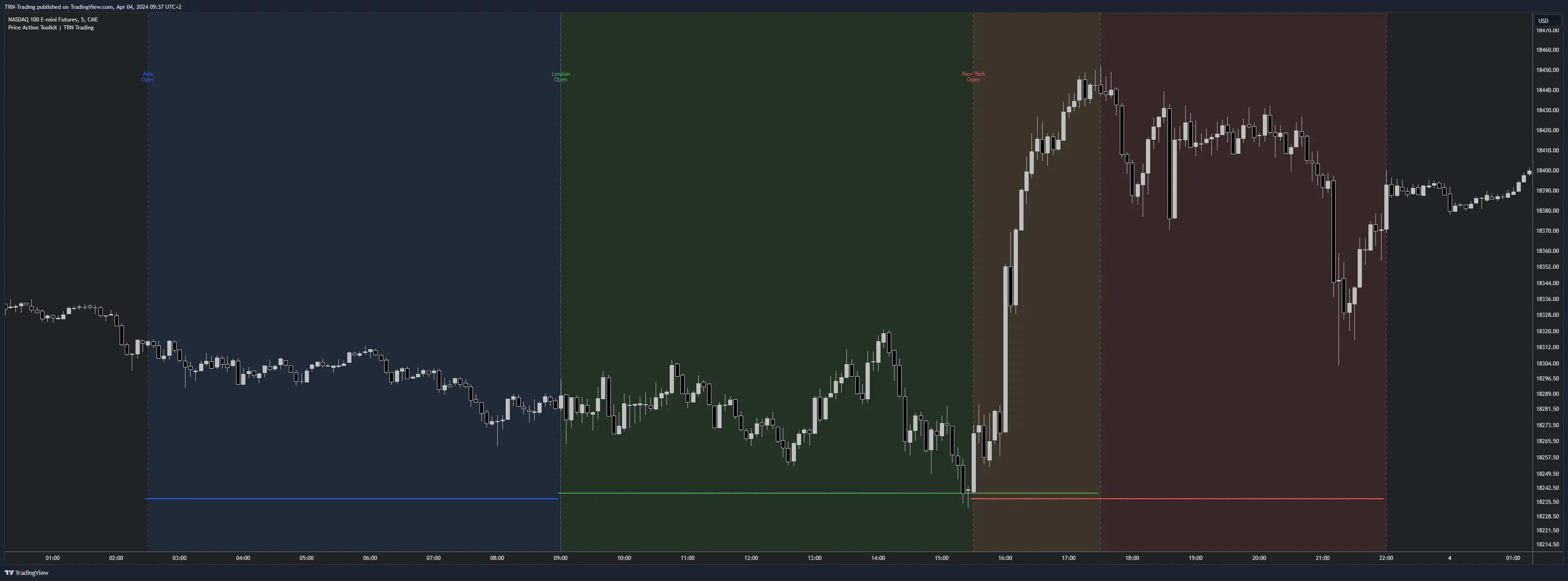
Session Definitions
The Price Action Suite tracks three institutional trading sessions, each tied to its native exchange timezone. All session times adjust automatically for daylight saving shifts.
- Asia — Tokyo 09:30 to 15:00 (Asia/Tokyo timezone). Tends toward range-bound price action with lower volatility on most forex pairs.
- London — 08:00 to 13:30 (Europe/London timezone). The highest-volume forex session, responsible for the majority of daily range expansion.
- New York — 09:30 to 16:00 (America/New_York timezone). Equity and index futures peak here, and forex pairs often see sharp reversals or trend continuations.
Sessions only display on chart timeframes below 12 hours. On daily charts and above, session markers auto-hide because individual candles already span multiple sessions.
Visual Display Options
Each session provides six independent visual controls. You can enable any combination per session to match your chart style and screen real estate.
Bottom Dots
Color-coded dot markers appear at the bottom of the chart during each active session. Bottom dots are enabled by default and provide a quick visual reference for which session is currently in play without cluttering price action.
Opening and Closing Labels
A label prints at the start of each session. Choose between Full Label format (e.g., "Asia Open") or Short Label format (e.g., "AO") depending on how much space your chart has. This label anchors session timing at a glance.
Session Lines
Vertical dashed lines mark the session open and close. The Opening Line draws at the first bar of the session while the Closing Line draws at the last bar. These vertical markers help you spot session transitions instantly when scrolling through intraday charts.
Background Fill
A colored background fills the entire session duration. Background fills make session boundaries unmistakable, especially when multiple sessions are active on the same chart.
Session Colors
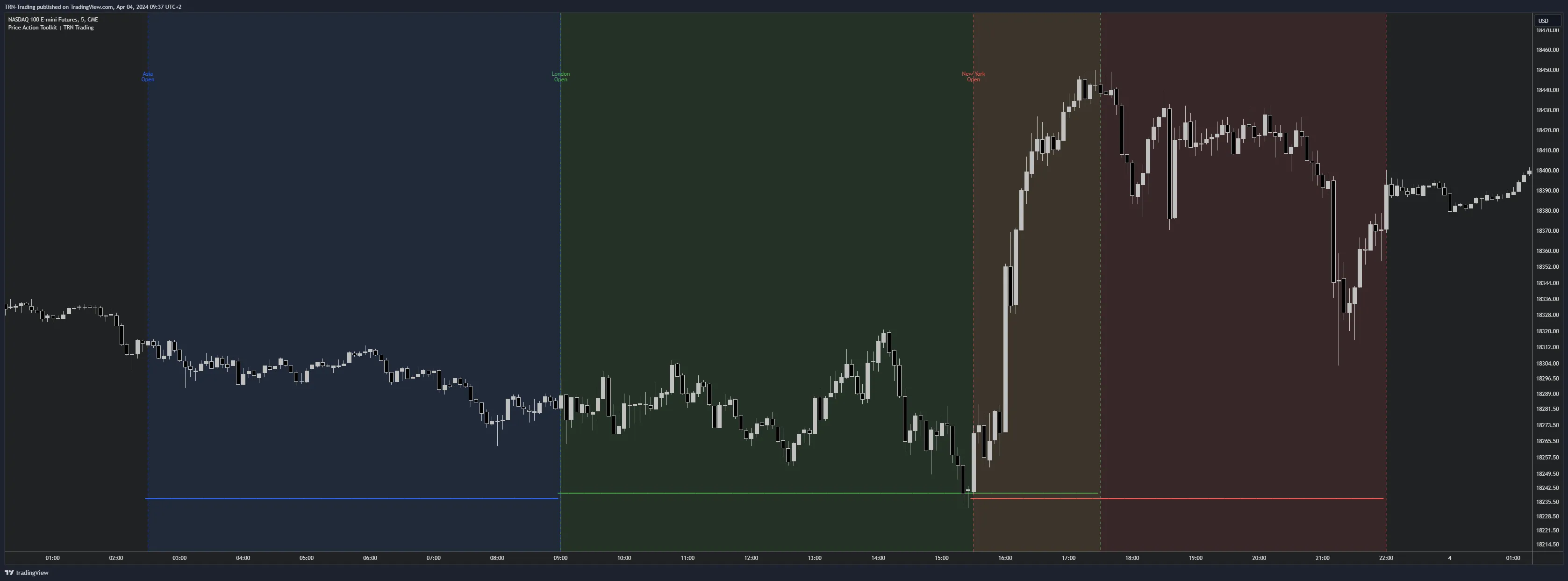
Each session carries two independent color settings — one for dots and lines, and a separate one for the background fill. Default color assignments are:
| Session | Dots & Lines | Fill |
|---|---|---|
| Asia | Blue | Blue (translucent) |
| London | Green | Green (translucent) |
| New York | Red | Red (translucent) |
Customizing these colors lets you match your chart theme or differentiate sessions more clearly on busy layouts.
Session Overlap
The London-New York overlap occurs approximately between 13:30 and 16:00 New York time. During this window, both major financial centers are active simultaneously. The Price Action Suite displays both sessions on your chart, making it easy to identify this high-liquidity period.
The London-New York overlap is the highest liquidity period for forex and indices. Price moves during the overlap tend to have stronger follow-through because institutional order flow from two major centers converges. Combine session awareness with killzone timing to narrow your focus to the highest-probability windows within this overlap.
Combining Sessions With Other Features
Session context becomes more powerful when paired with other Price Action Suite features. Use sessions to filter when you trade, then layer in structure and levels for where you trade.
- Sessions + Killzones — Killzones mark the highest-probability windows within each session, letting you narrow your trading window further.
- Sessions + Levels — Key levels like previous day high/low or current week open gain context when you know which session printed them.
- Sessions + Trend Bars Pro — Combining session timing with Trend Bars Pro momentum confirmation helps filter entries to the strongest session moves.
FAQ
What trading sessions does the Price Action Suite display?
The Price Action Suite marks three major sessions on your chart. Asia covers Tokyo 09:30 to 15:00 in Asia/Tokyo timezone, London runs 08:00 to 13:30 in Europe/London timezone, and New York spans 09:30 to 16:00 in America/New_York timezone. Each session has independent color settings and visual options.
Why do trading sessions disappear on daily charts?
Trading sessions auto-hide on chart timeframes of 12 hours and above. Intraday session boundaries lose meaning on daily or weekly candles because each candle already spans multiple sessions. The Price Action Suite handles this automatically so your chart stays clean.
How does the London-New York session overlap affect trading?
The London-New York overlap from roughly 13:30 to 16:00 New York time concentrates the highest liquidity of the trading day. Both London and New York desks are active simultaneously, producing tighter spreads and stronger directional moves on forex pairs and index futures.
Can I customize how each session appears on my chart?
Each session offers six independent visual options including bottom dots, opening labels in full or short format, opening and closing vertical lines, and background fills. You can also set separate colors for dots and lines versus the fill, giving you full control over chart readability.