HTF PO3 Trading Strategy
HTF PO3 (Higher Time Frame Power of Three) brings multi-timeframe analysis directly onto your chart within TRN Trend Bars Pro. By displaying higher timeframe candles, signal bar labels, and a comprehensive status table, HTF PO3 reveals the institutional bias that drives price action across timeframes — giving traders the context needed to align entries with dominant market flow.
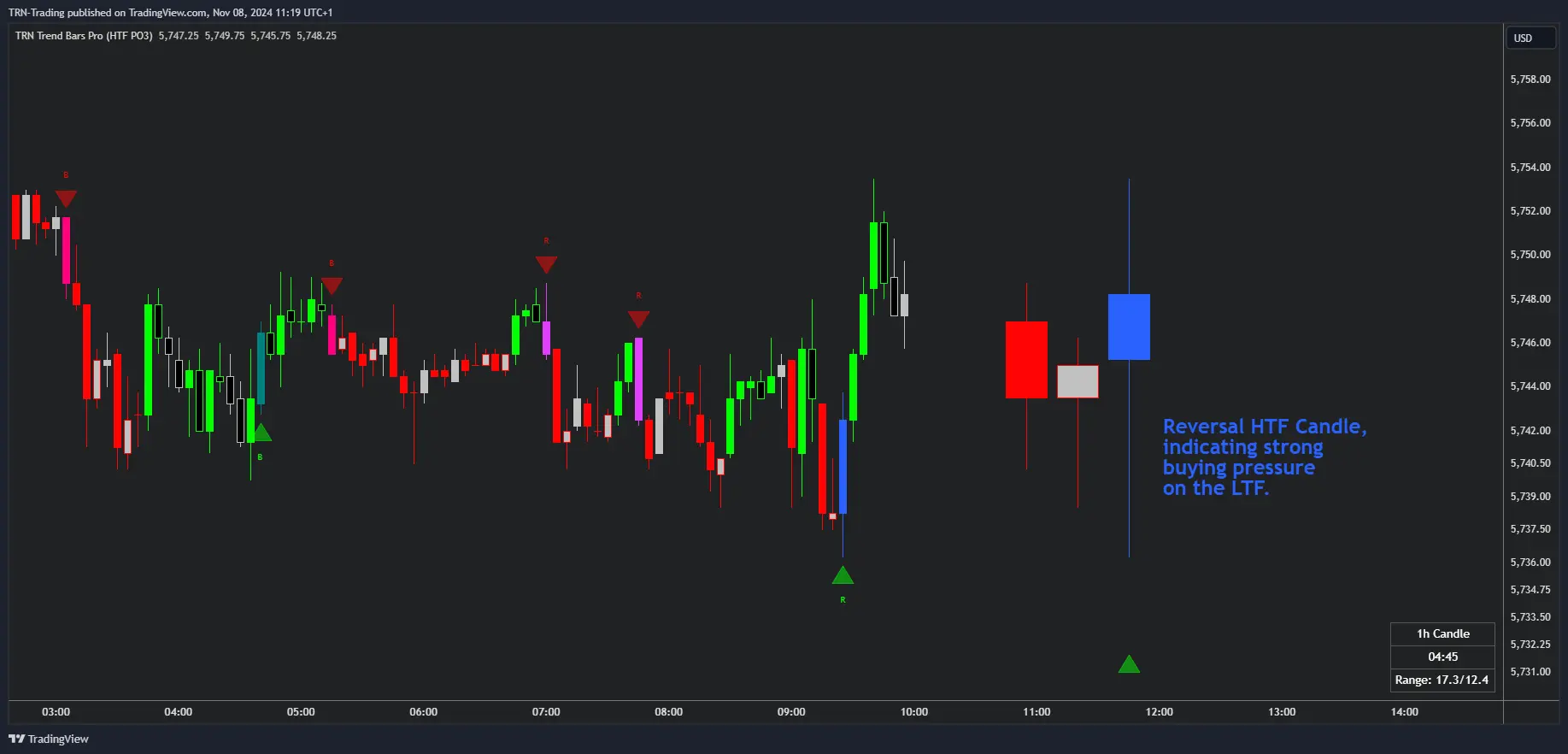
Understanding Power of Three
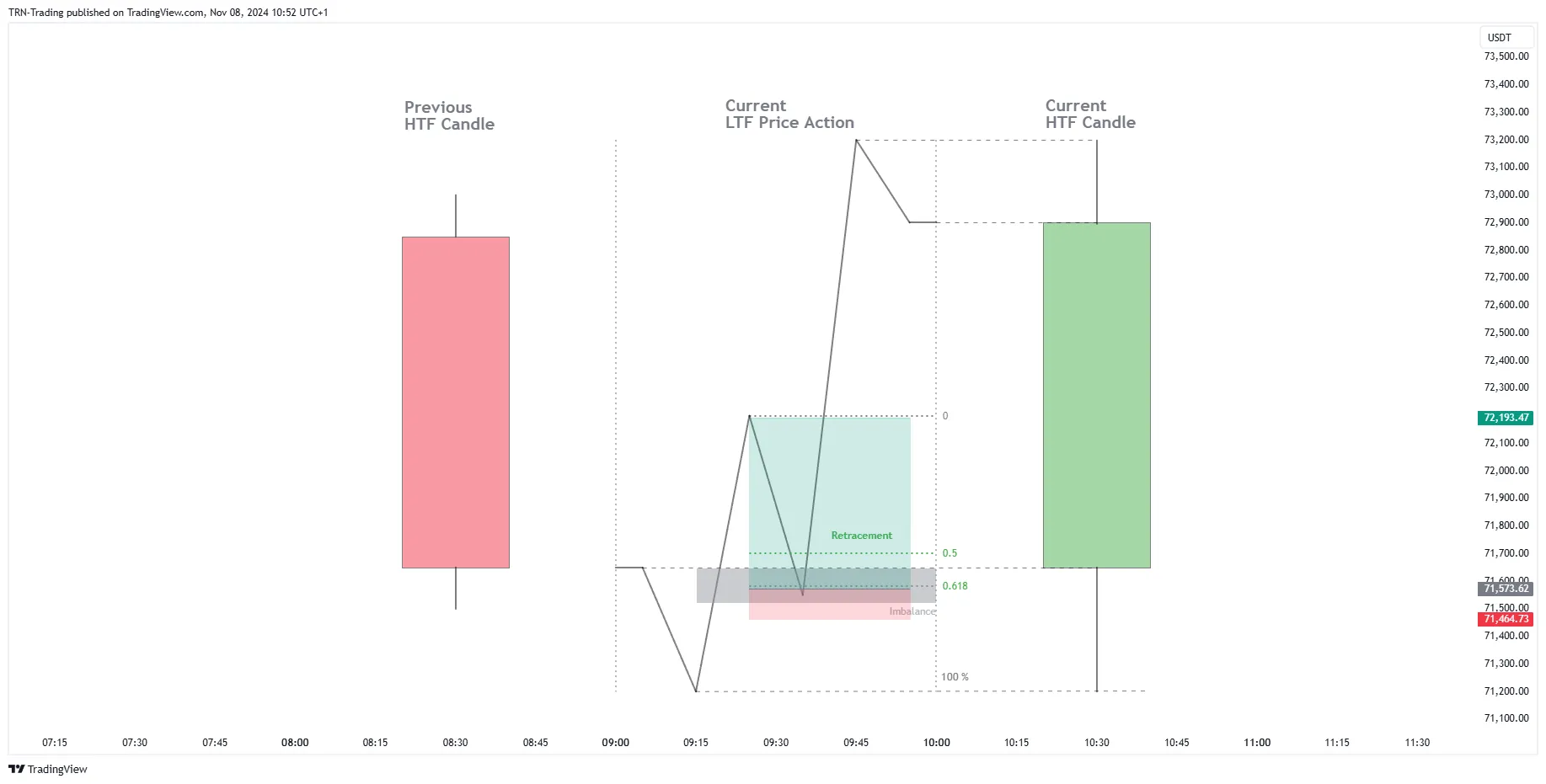
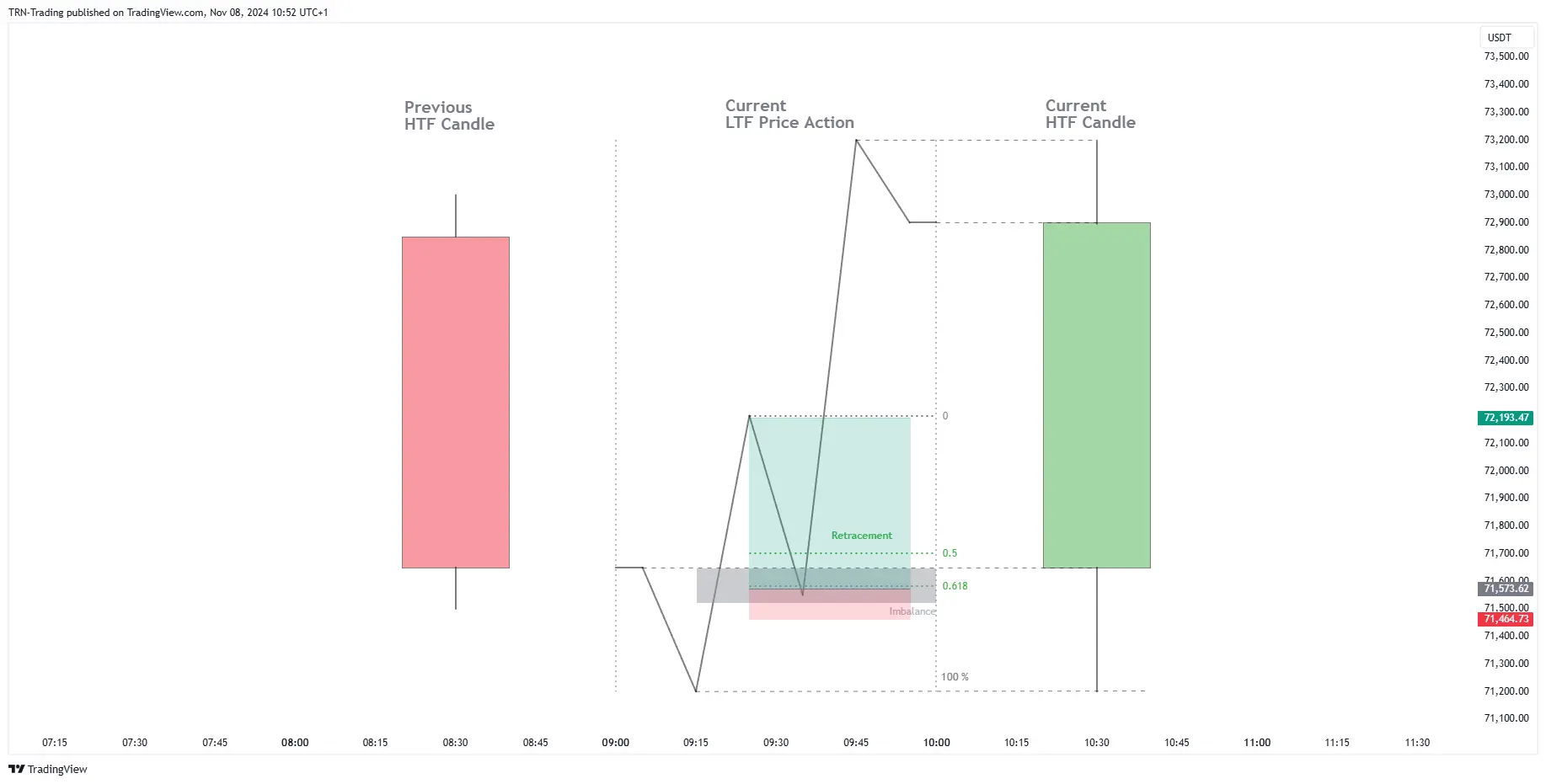
Every candle — regardless of timeframe — moves through three distinct phases that reflect how institutional participants operate in the market.
Accumulation
Price consolidates near the candle open as positions are built. Volume increases without significant directional movement. On higher timeframes, accumulation zones define the range where smart money is establishing positions before the move begins.
Manipulation
Price makes a deceptive move against the eventual direction. This phase traps traders who enter on the false breakout and creates the liquidity institutions need to fill their orders. Recognizing manipulation on HTF candles prevents traders from taking the wrong side of the move.
Distribution
The real directional move occurs as price travels from the manipulation extreme toward the candle close. Distribution represents the profitable phase of the candle and the direction that lower timeframe traders should align with for high-probability entries.
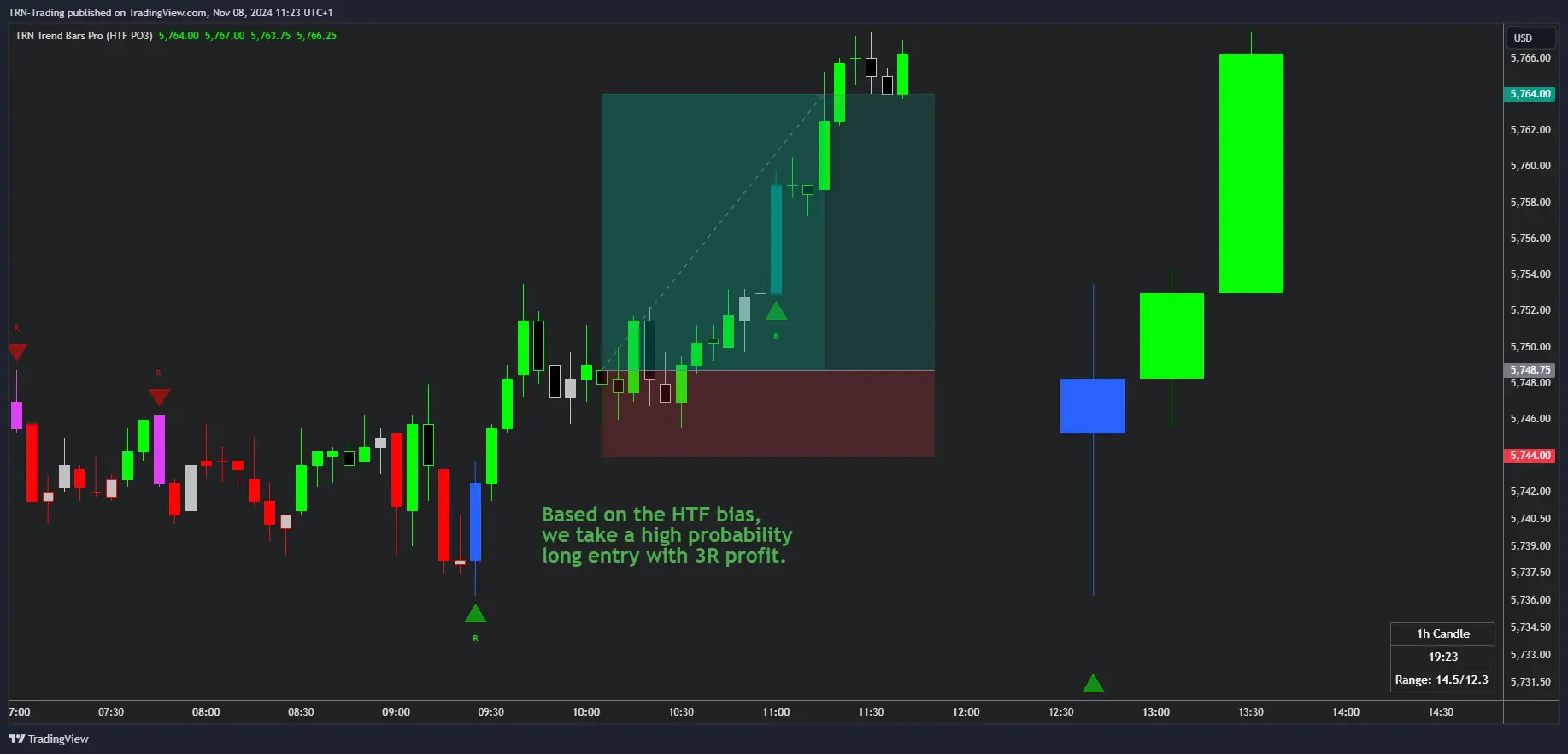
Use the PO3 framework on the highest displayed timeframe to determine directional bias, then look for Signal Bars on your execution timeframe that align with the HTF distribution direction.
HTF Candle Display
Trend Bars Pro overlays up to four higher timeframes directly on your chart, each rendered as candle bodies with full OHLC information.
Configuration
- Four independent timeframes: Default configuration shows 15m, 1h, 4h, and Daily
- Per-timeframe toggle: Enable or disable each HTF independently
- Candle count: Display between 1 and 20 candles per timeframe
- Candle size: Choose from small, normal, big, or large rendering
- Spacing and offset: Control horizontal positioning relative to chart price action
- Group gap: Adjust spacing between timeframe groups for visual clarity
Signal Bar Labels on HTF Candles
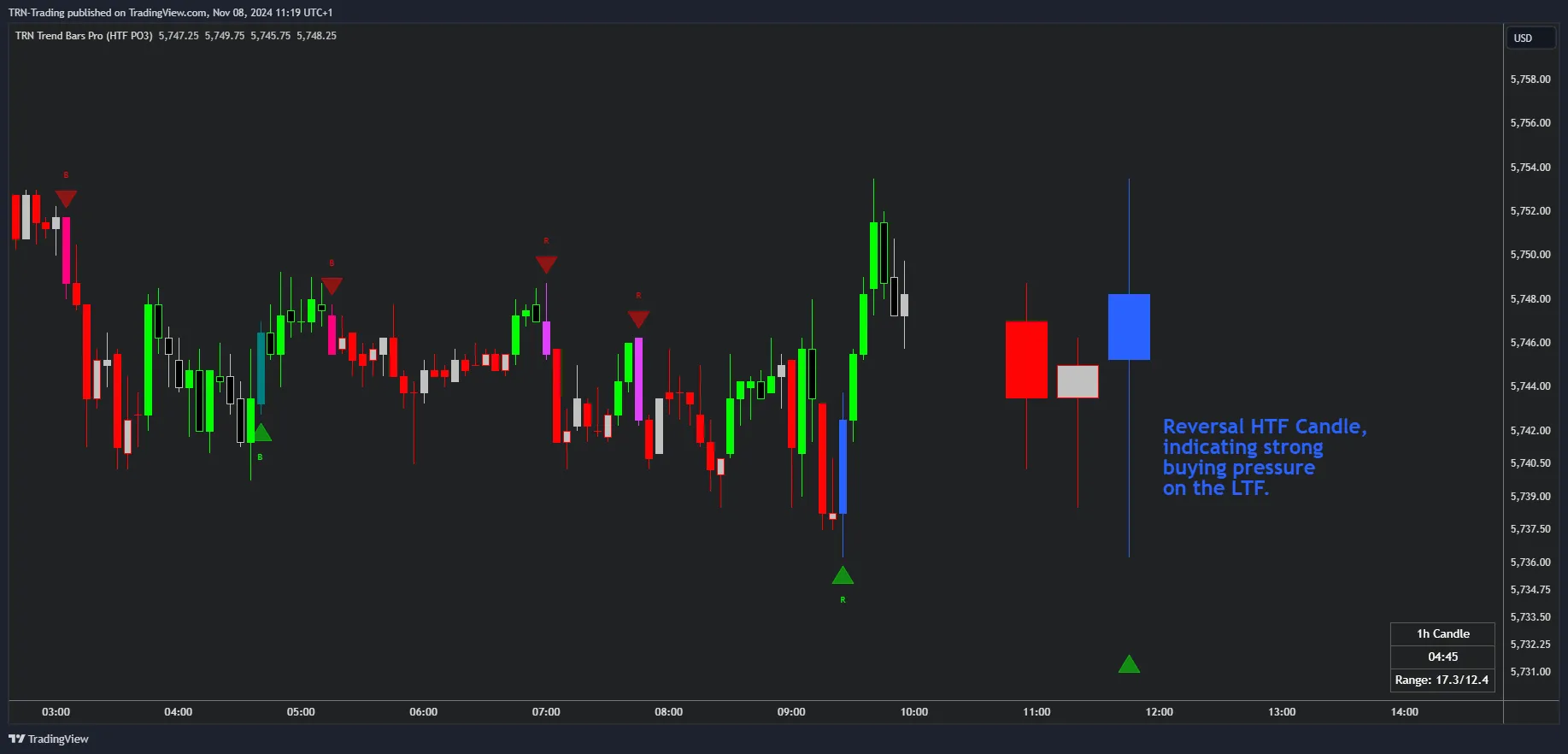
When enabled, signal bar type labels appear directly on HTF candle bodies. Each label uses the standard abbreviation — R (Reversal), C (Continuation), B (Breakout), MS (Morning Star), ES (Evening Star), T (Three Line Strike) — so traders can identify HTF signal conditions without switching charts.
Auto Timeframes
Auto Timeframes eliminates manual HTF configuration by selecting the optimal set of four higher timeframes based on your current chart timeframe. This ensures you always see relevant multi-timeframe context regardless of which chart you open.
| Chart Timeframe | HTF 1 | HTF 2 | HTF 3 | HTF 4 |
|---|---|---|---|---|
| 15 seconds or less | 1m | 5m | 15m | 1h |
| 60 seconds or less | 5m | 15m | 1h | 4h |
| 5 minutes or less | 15m | 1h | 4h | Daily |
| 15 minutes or less | 1h | 4h | Daily | Weekly |
| 1 hour or less | 4h | Daily | Weekly | Monthly |
| 4 hours or less | Daily | Weekly | Monthly | — |
When Auto Timeframes is active, the four manual timeframe selectors are overridden. Disable Auto Timeframes to return to manual selection.
HTF Status Table
The HTF Status Table provides a consolidated multi-timeframe dashboard with five columns per timeframe, displayed as an overlay on your chart.
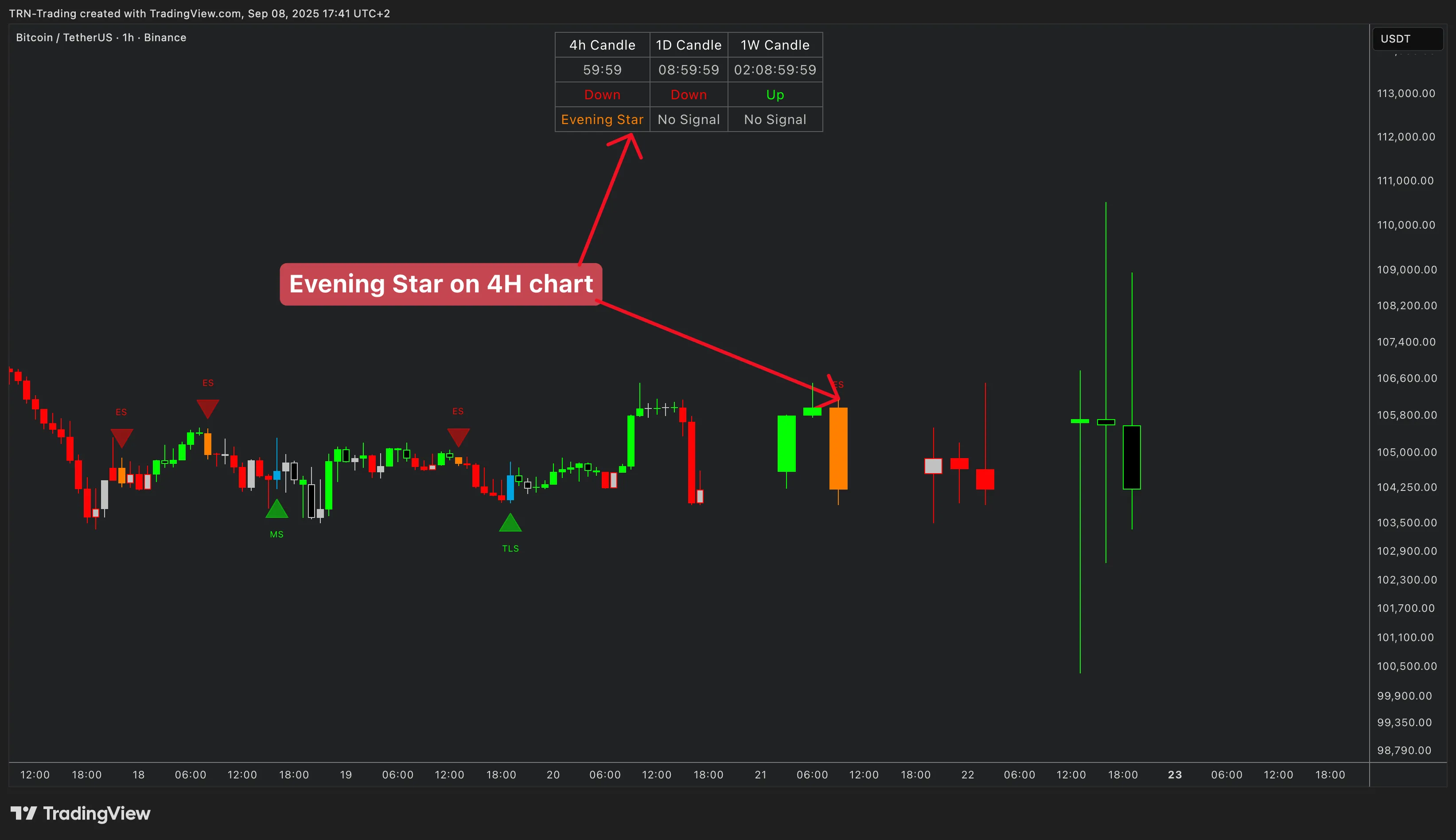
Table Columns
-
Remaining Time: Countdown to the higher timeframe bar close (experimental feature). Helps traders anticipate when the next HTF candle will complete and potentially generate a new signal.
-
Bar Trend: Displays the current trend state for each higher timeframe. This column aligns with the Dynamic Trend analysis, showing whether each HTF is bullish, bearish, or neutral.
-
Signal Bars: Shows the active signal bar type per timeframe using standard abbreviations — R (Reversal), MS (Morning Star), ES (Evening Star), B (Breakout), T (Three Line Strike), C (Continuation). Empty cells indicate no active signal on that timeframe.
-
Range: Displays the current Bar Range status per higher timeframe, indicating whether a consolidation zone is active or a breakout has occurred.
Table Styling
- Color preset: Choose between Dark and Light themes to match your chart background
- Text size: Adjustable from 8 to 50 for readability at any screen resolution
- Position: Place the table in any of nine chart positions (top/middle/bottom combined with left/center/right)
Trading with HTF PO3
Establishing Directional Bias
Read the highest available HTF candle to determine institutional bias. A bullish HTF candle in its distribution phase suggests longs on lower timeframes. A bearish HTF candle in distribution favors shorts.
Multi-Timeframe Confirmation
Check the HTF Status Table for alignment across timeframes. When Bar Trend and Signal Bars point in the same direction across two or more HTFs, the setup carries higher conviction than single-timeframe analysis.
Entry Execution
Once HTF bias is established, drop to your execution timeframe and wait for a confirming Signal Bar. The combination of HTF directional bias with a lower timeframe entry signal creates structured trade setups with defined risk.
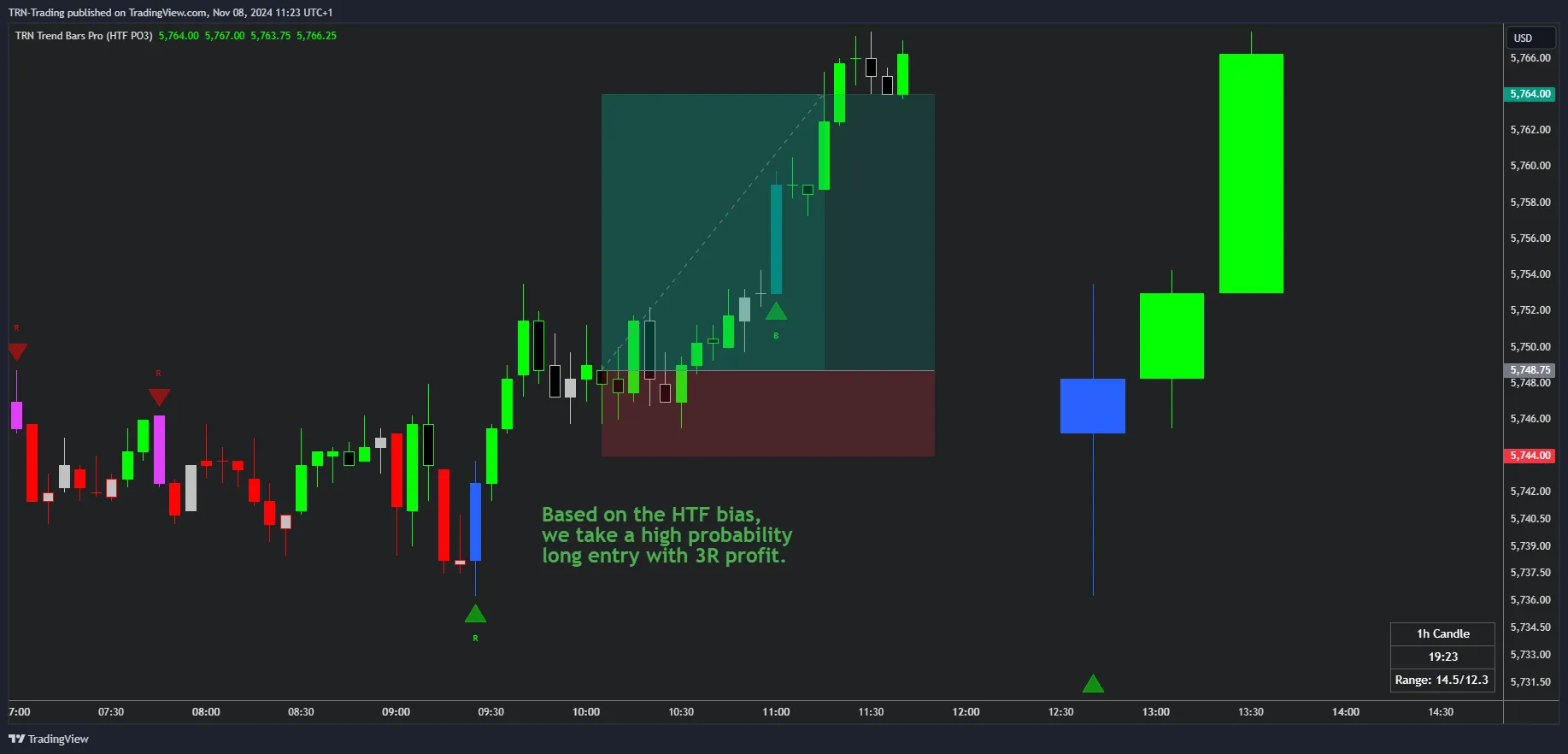
When the Bar Range column shows an active range on a higher timeframe while your execution timeframe fires a Breakout Bar, the setup represents a multi-timeframe breakout — one of the highest-conviction patterns in Trend Bars Pro.
FAQ
What is Power of Three and how does it apply to trading?
Power of Three (PO3) describes the three phases every candle moves through — Accumulation near the open, Manipulation as price makes a false move against the real direction, and Distribution as price travels toward the close. Analyzing these phases on higher timeframes reveals institutional bias and helps traders align their entries with the dominant directional flow.
How does Auto Timeframes work in Trend Bars Pro?
Auto Timeframes automatically selects the optimal set of four higher timeframes based on your current chart timeframe. For example, a 5-minute chart receives 15m, 1h, 4h, and Daily HTF analysis. This eliminates manual configuration and ensures you always see relevant multi-timeframe context regardless of which chart you open.
What do the columns in the HTF Status Table represent?
The HTF Status Table displays five columns per timeframe. Remaining Time shows a countdown to the HTF bar close. Bar Trend shows the current trend state. Signal Bars displays the active signal type using abbreviations (R for Reversal, MS for Morning Star, ES for Evening Star, B for Breakout, T for Three Line Strike, C for Continuation). Range shows the current range status. Together these columns give you a complete multi-timeframe overview at a glance.
How many higher timeframes can I display simultaneously?
Trend Bars Pro supports four configurable higher timeframes displayed simultaneously on your chart. Each timeframe can be independently toggled on or off, and you can display between 1 and 20 candles per timeframe. The default configuration shows 15-minute, 1-hour, 4-hour, and Daily candles.
Can I see signal bar types directly on HTF candles?
Yes. When signal bar labels on HTF candles are enabled, each higher timeframe candle body displays the detected signal bar type as a label. This lets you see Reversal, Continuation, Breakout, Morning Star, Evening Star, and Three Line Strike signals directly on the HTF candle overlay without checking the status table.