Harmonic Scanner Settings
The Harmonic Patterns Scanner offers detailed configuration for symbol management, pattern selection, breakout conditions, and table visualization.
Symbol Configuration
The scanner monitors up to 20 symbols simultaneously.
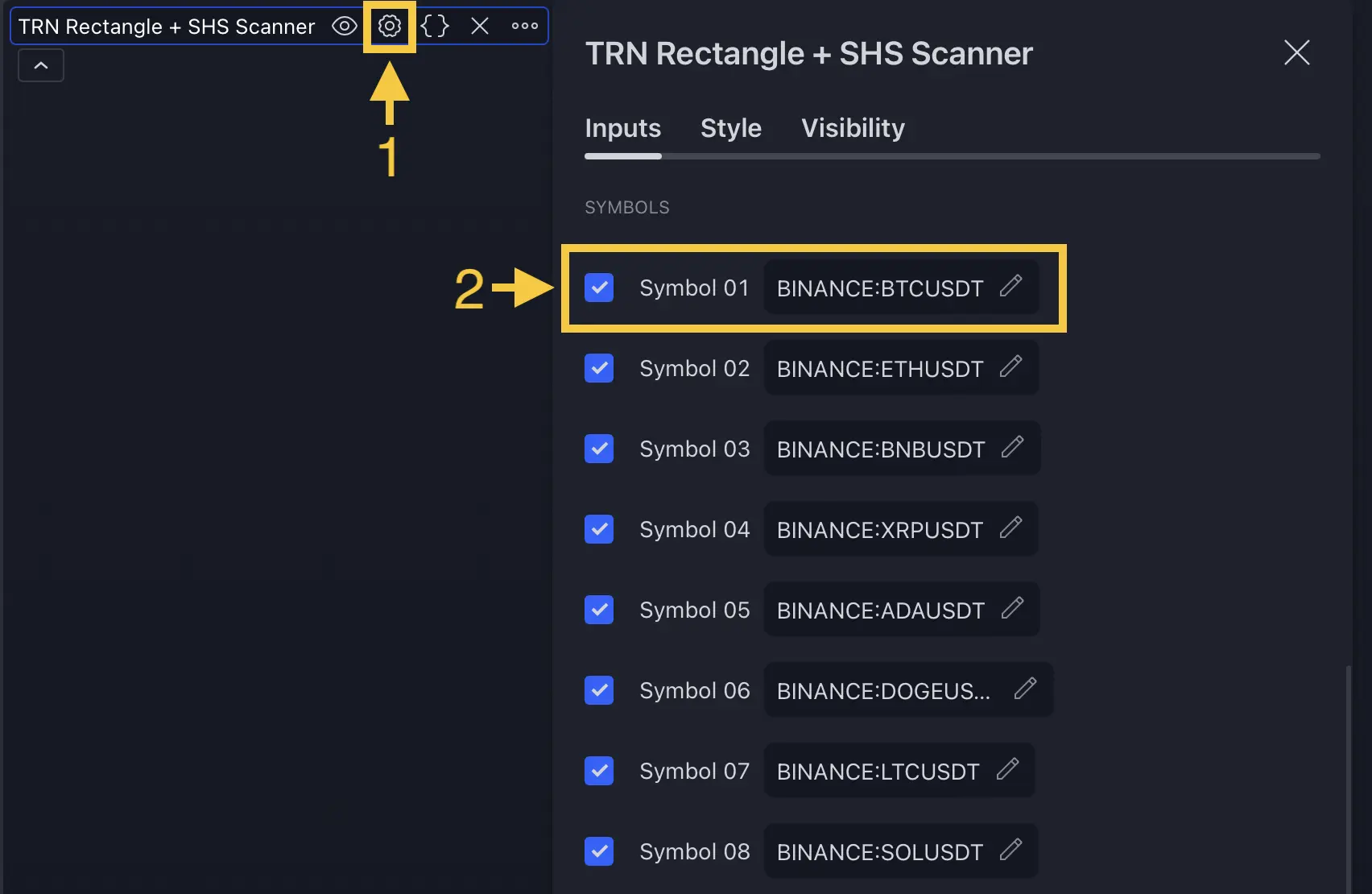
| Setting | Default | What It Controls |
|---|---|---|
| Symbols 1-10 | BTC, ETH, NQ, ES, CL, GC, EUR/USD, GBP/USD, AAPL, MSFT | Pre-configured symbols with on/off toggles |
| Symbols 11-20 | SOL, DOGE, BNB, YM, FDAX, USD/JPY, AUD/USD, USD/CAD, GOOG, TSLA | Additional symbol slots (disabled by default) |
Detection Settings
| Setting | Default | What It Controls |
|---|---|---|
| Harmonics Size | Very Small (5) | Swing sensitivity for pattern detection |
| Accuracy | Very Low (0) | How strictly ratios must match ideal proportions (0-100) |
| Log Scale | On | Logarithmic price calculations for consistent detection |
Pattern Size Presets:
| Preset | Swing Size |
|---|---|
| Tiny | 2 |
| Very Small (default) | 5 |
| Small | 8 |
| Medium | 12 |
| Large | 16 |
| Very Large | 20 |
| Huge | 30 |
| Custom | 1-300 |
Pattern Selection
Each of the 7 patterns can be independently configured:
| Pattern | Default | Options |
|---|---|---|
| Gartley | Long & Short | Off, Long, Short, Long & Short |
| Bat | Long & Short | Off, Long, Short, Long & Short |
| Butterfly | Long & Short | Off, Long, Short, Long & Short |
| Crab | Long & Short | Off, Long, Short, Long & Short |
| Cypher | Long & Short | Off, Long, Short, Long & Short |
| Shark | Long & Short | Off, Long, Short, Long & Short |
| 5-0 | Long & Short | Off, Long, Short, Long & Short |
Disable patterns that consistently underperform on your watchlist. Each disabled pattern reduces scanner noise and helps you focus on the patterns that produce results. Use the Harmonic Patterns Suite Statistics to identify which patterns work best.
Breakout Condition
| Setting | Default | Options |
|---|---|---|
| Breakout Condition | TRN Bars Signals + Trend | Close 2 Lows/Highs, Close 3 Lows/Highs, Swing Flip, MACD Crossing, RSI Crossing, TRN Bars Signals, TRN Bars Signals + Trend |
The breakout condition determines when a detected pattern transitions from Active to Breakout status. See the Harmonic Patterns Suite Breakout Conditions page for detailed explanations of all 7 methods.
Per-Pattern Target Types
Each pattern has its own configurable target calculation:
| Pattern | Default Target Base | TP1 | TP2 |
|---|---|---|---|
| Gartley | Points C, A | 100% | 150% |
| Bat | Points C, A | 100% | 150% |
| Butterfly | Points B, A | 100% | 150% |
| Crab | Points B, A | 100% | 150% |
| Cypher | Points C, A | 100% | 150% |
| Shark | Points B, A | 100% | 150% |
| 5-0 | Length B→C | 100% | 150% |
Table Styling
| Setting | Default | What It Controls |
|---|---|---|
| Styling Preset | Dark | Table color theme — Dark or Light |
| Location | Top Right | Table position on the chart |
| Header Text Size | 10 | Font size for column headers (8-50) |
| Cell Text Size | 10 | Font size for table data (8-50) |
FAQ
How do I add custom symbols to the Harmonic Patterns Scanner?
The Harmonic Patterns Scanner has 20 symbol slots — 10 pre-configured with popular instruments and 10 additional custom slots. Enter any TradingView symbol identifier in an empty slot and toggle it on. Use the full exchange:ticker format (e.g., BINANCE:BTCUSDT, NASDAQ:AAPL).
Can I disable specific harmonic patterns in the scanner?
Yes, each of the 7 harmonic patterns (Gartley, Bat, Butterfly, Crab, Cypher, Shark, 5-0) can be independently set to Off, Long Only, Short Only, or Long & Short. Disable patterns that underperform on your watchlist to reduce noise.
What does the Accuracy setting control in the scanner?
The Accuracy setting controls how strictly each pattern's Fibonacci ratios must match the ideal proportions. Higher accuracy (lower tolerance) produces fewer but more geometrically precise patterns. Very Low accuracy (the default) detects the widest range of formations.