Harmonic Pattern Statistics
Harmonic Patterns Suite includes a built-in statistics table that tracks the historical performance of detected harmonic patterns on your chart. The statistics let traders validate which patterns and settings produce profitable setups on their instrument.
Statistics Table
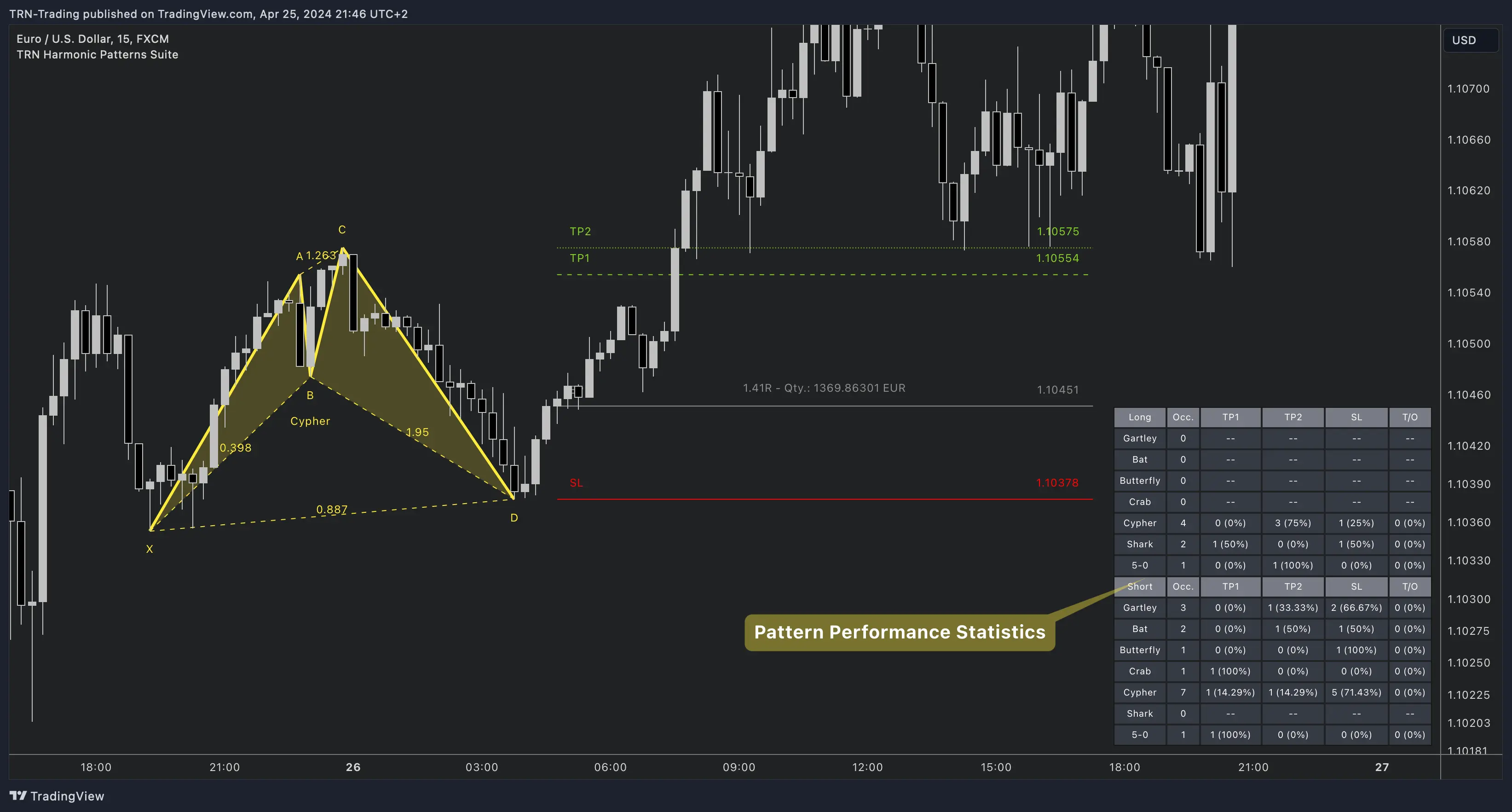
The statistics table displays performance metrics with flexible display modes:
| Display Mode | What It Shows |
|---|---|
| Long & Short | Combined statistics for all directions |
| Separate Long & Short | Independent rows for bullish and bearish patterns |
| Column | What It Shows |
|---|---|
| Occ. | Total number of completed trades (occurrences) |
| TP1 | Trades that hit the first take profit target — count and percentage |
| TP2 | Trades that hit the second target (if enabled) — count and percentage |
| SL | Trades that hit stop loss — count and percentage |
| T/O | Trades that expired (timed out) — count and percentage |
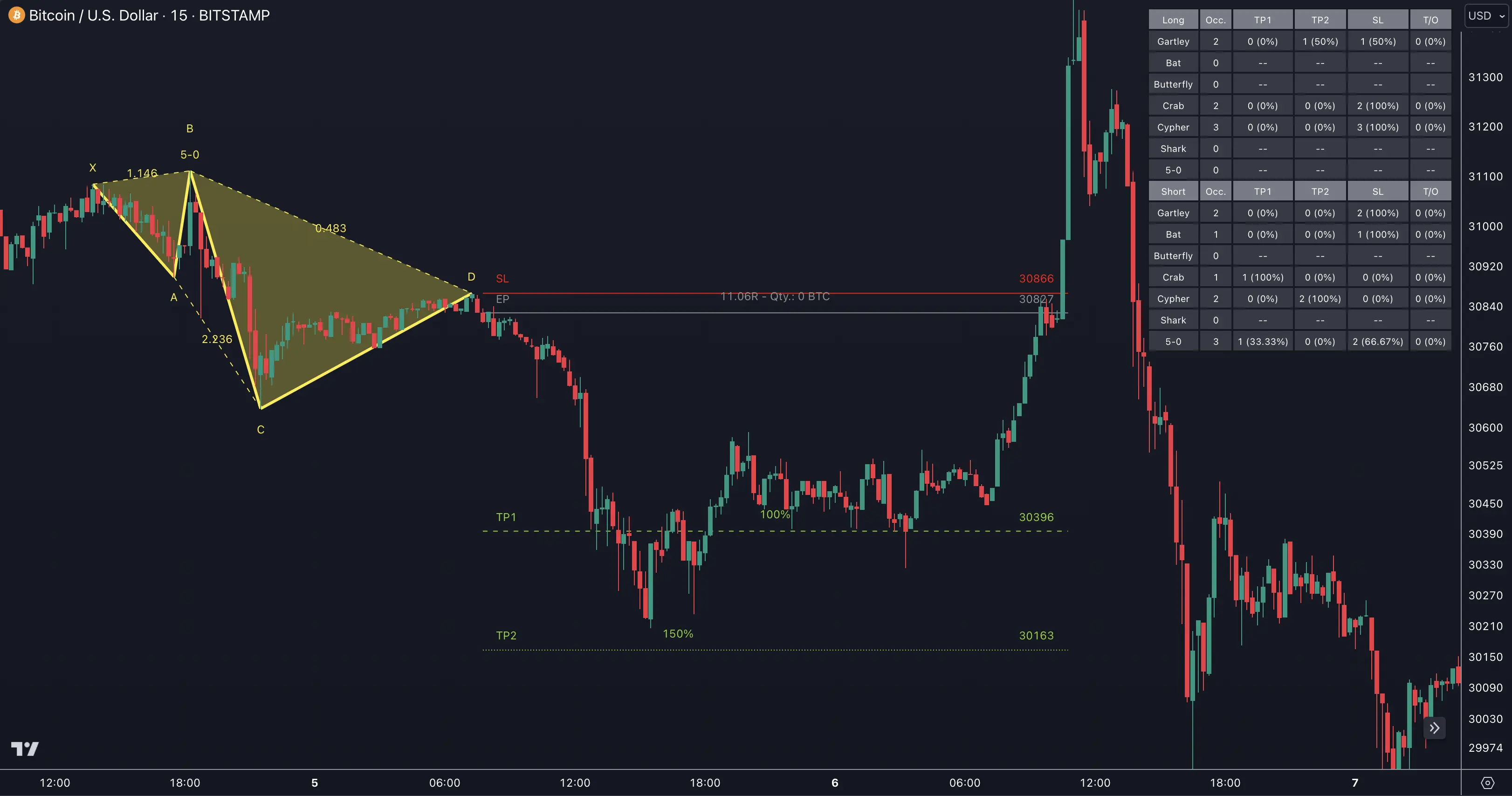
Trade Timeout
| Mode | Default | How It Works |
|---|---|---|
| Dynamic | Factor 3.0 | Timeout = pattern bar length x multiplier. Larger patterns get more time |
| Fixed | N/A | Absolute number of bars regardless of pattern size |
Dynamic timeout is the default — harmonic patterns that develop over many bars naturally need more time for their targets to play out.
Settings
| Setting | Default | What It Controls |
|---|---|---|
| Show Statistics | Off | Display mode — Off, Long & Short, or Separate Long & Short |
| Styling Preset | Dark | Table color theme — Dark or Light |
| Location | Top Right | Table position on the chart |
| Header Text Size | 10 | Font size for table headers |
| Cell Text Size | 10 | Font size for table data |
| Trade Timeout | Dynamic (3.0) | Maximum trade duration mode and value |
Using Statistics to Optimize
Variables to test:
- Individual patterns — Enable one pattern at a time to isolate its performance
- Breakout condition — Compare TP1 hit rates across different confirmation methods
- Pattern Size — Test different swing sizes for your instrument's volatility
- Accuracy — Test stricter vs. looser ratio validation constraints
- TP percentages — Adjust TP1/TP2 and compare hit rates
Start by comparing "Separate Long & Short" statistics. Many instruments show a directional bias — harmonic patterns may perform significantly better as bullish or bearish reversals depending on the market's structure.
FAQ
What statistics does the Harmonic Patterns Suite track?
The Harmonic Patterns Suite tracks occurrences, TP1 hit rate, TP2 hit rate, stop loss hit rate, and timeout rate. Statistics can be displayed as combined Long & Short or separated by direction. Each pattern type's performance is tracked independently.
What is the trade timeout in the Harmonic Patterns Suite?
The trade timeout determines the maximum duration before a trade is closed. The Harmonic Patterns Suite supports Dynamic timeout (scales with the pattern's bar length using a multiplier, default 3.0) and Fixed timeout (absolute number of bars). Dynamic is the default and recommended mode.
How do I find which harmonic pattern performs best on my instrument?
Enable the statistics table with "Separate Long & Short" mode. Run the indicator on your preferred instrument and timeframe. Compare TP1 hit rates and occurrence counts across different patterns. Disable underperforming patterns to focus on the ones that work best for your market.
Can I see statistics separately for each pattern type?
The statistics table shows aggregate results for all active patterns by direction (long/short). To isolate individual pattern performance, enable only one pattern at a time and review the statistics. The pattern name is included in each detection, helping you track which types produce the best results.