Harmonic Patterns Scanner Alerts
The Harmonic Patterns Scanner provides real-time alert notifications when harmonic patterns are building up, detected, or breaking out across any of your 20 monitored symbols. A single TradingView alert covers all symbols simultaneously.
Alert Types
| Alert | Default | When It Fires |
|---|---|---|
| Pattern Active | Off | A complete XABCD harmonic pattern has been detected on any symbol |
| Pattern Buildup | Off | An incomplete pattern is forming (X, A, B points established) |
| B/O Up Confirmed | On | Bullish breakout confirmed by the selected breakout condition |
| B/O Down Confirmed | On | Bearish breakout confirmed by the selected breakout condition |
Unconfirmed breakout alerts (intra-bar triggers) are also available for traders who want the earliest possible notification.
Pattern Buildup vs. Pattern Active
Pattern Buildup fires when the scanner detects an incomplete but promising formation. The X, A, and B swing points have been identified, suggesting a harmonic pattern may complete. This is an early warning — the pattern may or may not complete.
Pattern Active fires when the full XABCD structure has been validated. The pattern is complete and awaiting a breakout condition. This is a confirmed setup signal.
Use Pattern Buildup alerts for watchlist monitoring — they give you time to prepare. Use Pattern Active + Breakout Confirmed alerts for trade execution timing.
Setting Up Alerts
Step 1: Enable Alert Types
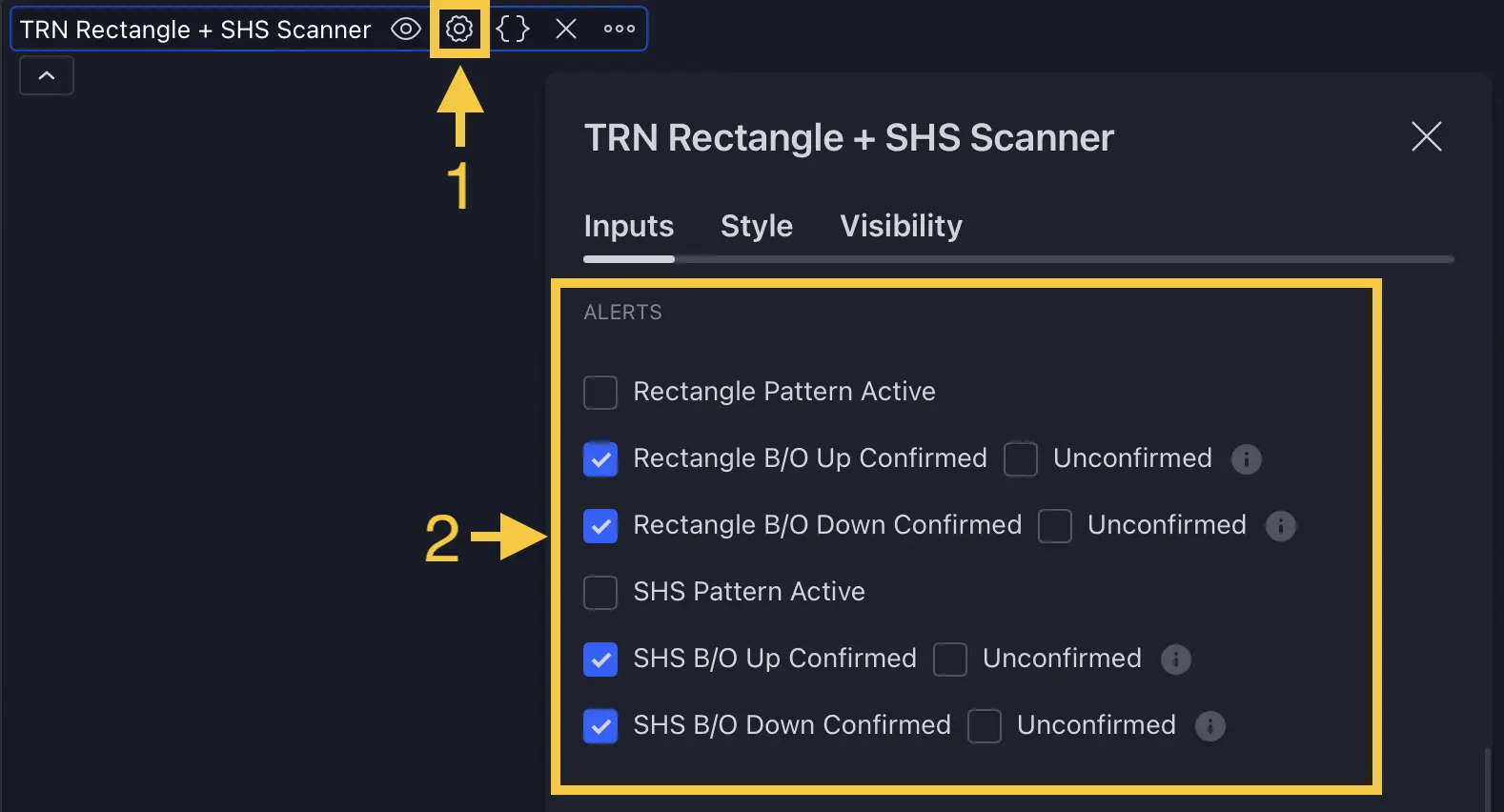
- Open the Harmonic Patterns Scanner indicator settings
- Navigate to the Alerts section
- Enable the alert types you want — Breakout Confirmed (up/down) is enabled by default
Step 2: Create the TradingView Alert
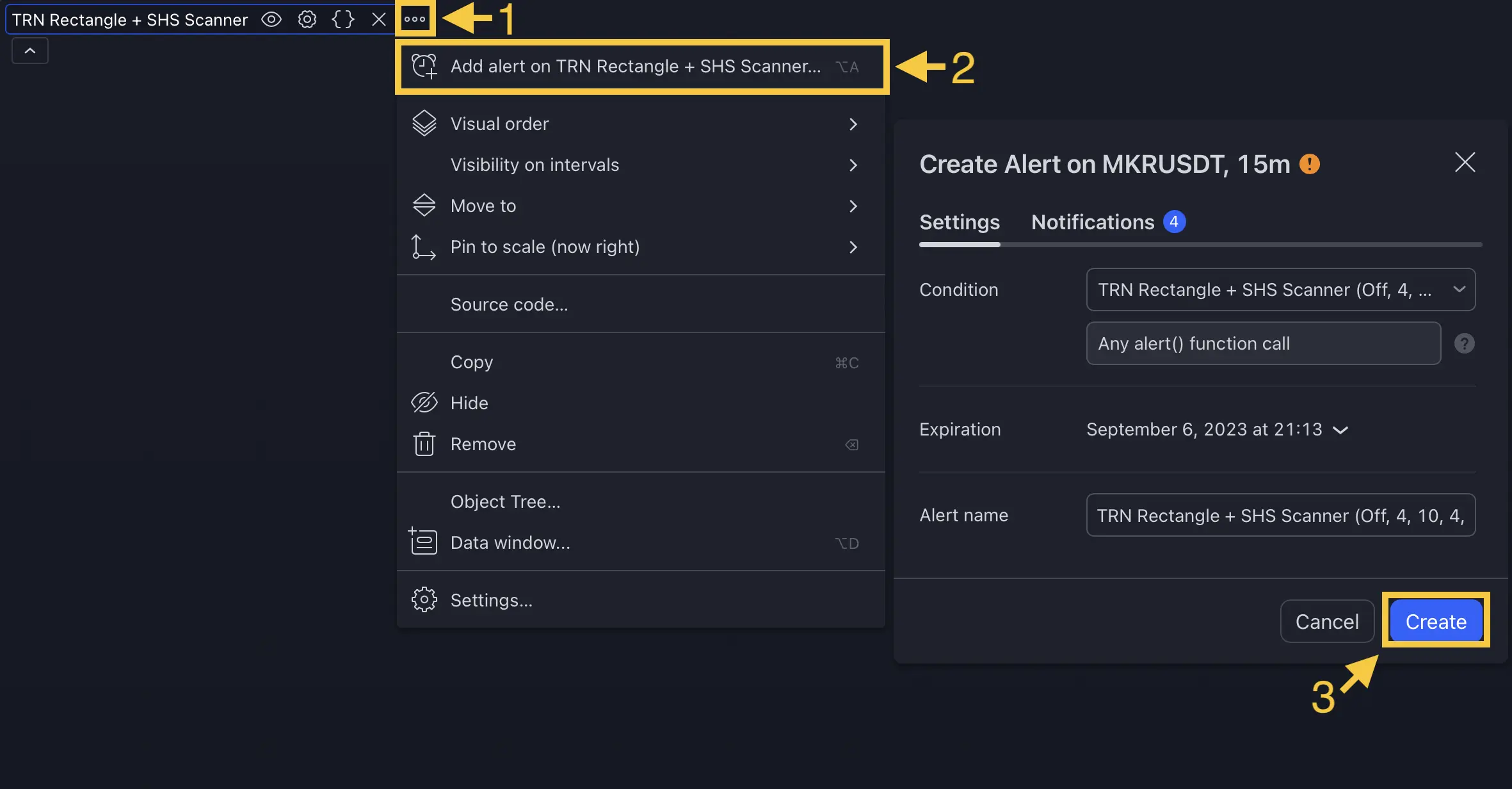
- Right-click the scanner indicator → select Add Alert
- Select Any Alert Function Call as the condition
- Configure your notification method — popup, email, or webhook
- Click Create — one alert covers all 20 symbols and all 7 patterns
The scanner uses runtime alert() calls. Always select Any Alert Function Call as the condition type. The alert message includes the symbol, timeframe, and pattern type automatically.
FAQ
How many alert types does the Harmonic Patterns Scanner provide?
The Harmonic Patterns Scanner provides 4 alert toggles — Pattern Active (complete pattern detected), Pattern Buildup (incomplete pattern forming), Breakout Up Confirmed, and Breakout Down Confirmed. Unconfirmed breakout alerts are also available. A single TradingView alert covers all 20 symbols.
What is the Pattern Buildup alert?
The Pattern Buildup alert fires when an incomplete harmonic pattern is forming — the X, A, and B points have been identified but the full XABCD structure is not yet complete. This provides an early warning that a pattern may soon activate on a specific symbol.
Do alerts fire for all symbols or just one?
The Harmonic Patterns Scanner fires alerts for every monitored symbol individually. When you create one TradingView alert on the scanner, it covers all 20 symbols. The alert message includes the symbol ticker, timeframe, and pattern type so you know exactly which instrument triggered.