Consolidation Pattern Settings
Consolidation and Range Pattern offers detailed configuration for detection sensitivity, pattern quality, and visualization. This guide covers all settings groups with their defaults and recommended values.
Pattern Size Presets
The Pattern Size setting controls the swing sensitivity used for detecting consolidation boundaries. Larger values detect larger, less frequent ranges. Smaller values detect tighter, more frequent consolidation zones.
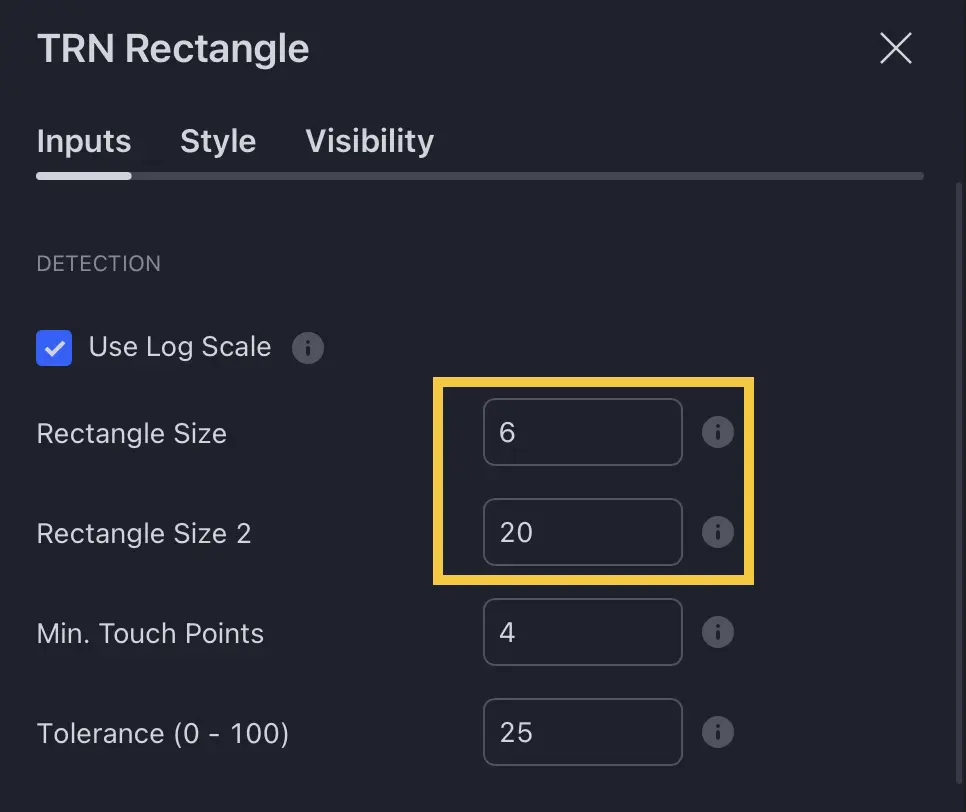
| Preset | Swing Size | Best For |
|---|---|---|
| Tiny | 2 | Scalping, 1-5 minute charts |
| Very Small (default) | 4 | Day trading, 5-15 minute charts |
| Small | 7 | Intraday to daily charts |
| Medium | 10 | Daily charts, swing trading |
| Large | 16 | Daily to weekly charts |
| Very Large | 20 | Weekly charts |
| Huge | 30 | Monthly charts, long-term ranges |
| Custom | 1-300 | Manual entry for precise control |
Accuracy Presets
The Accuracy setting controls how strictly the upper and lower boundaries must align to qualify as a valid consolidation range.
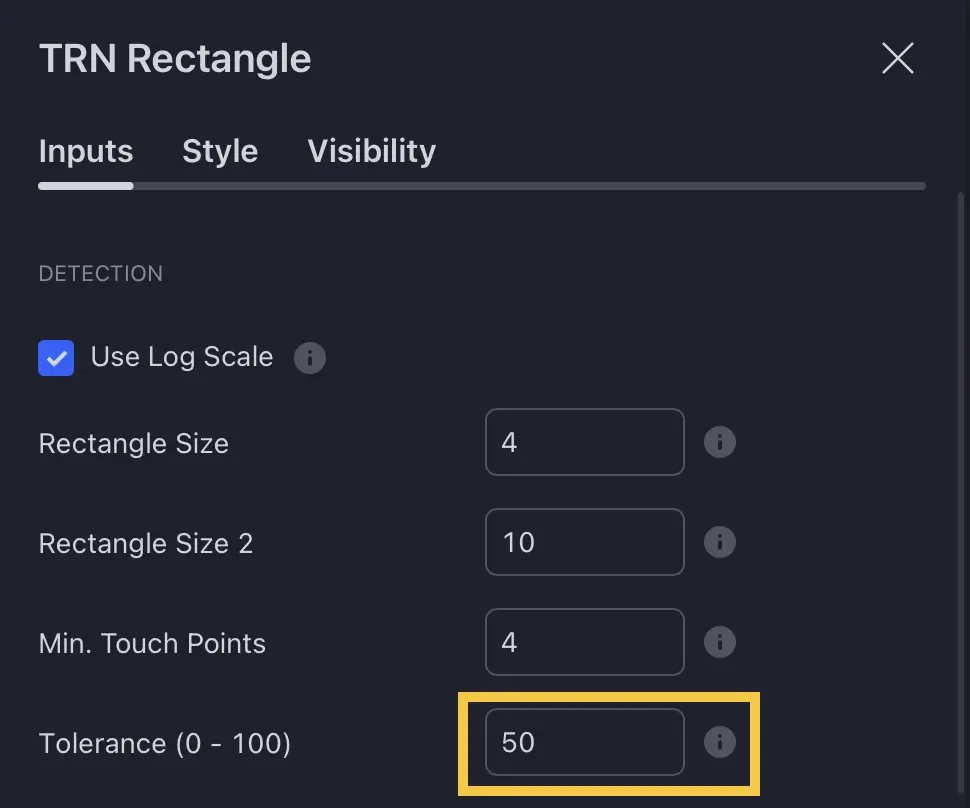
| Preset | Value | What It Does |
|---|---|---|
| Very Low | 0 | Most permissive — detects more patterns with looser boundaries |
| Low | 25 | Relaxed constraints |
| Medium (default) | 50 | Balanced detection quality |
| High | 75 | Stricter boundary alignment |
| Very High | 100 | Most strict — only near-perfect horizontal ranges qualify |
| Custom | 0-100 | Manual entry for precise control |
Use the Swing Suite indicator with matching swing sizes to visualize the underlying swing detection and understand how the Consolidation and Range Pattern identifies boundaries.
Feature Toggles
| Feature | Default | What It Does |
|---|---|---|
| Additional Pattern Detection (Pattern 2) | Off | Enables a second detection layer with a different swing size |
| Smart Breakout Detection | On | Filters false breakouts using an ATR-based tolerance threshold |
| Target Boxes | Off | Displays price projection zones above/below the range on breakout |
| Statistics | Off | Displays the performance tracking table |
Recommended Configurations
Intraday Trading (1-15 min)
- Pattern Size: Tiny or Very Small (2-4)
- Pattern 2: Very Small or Small (4-7)
- Accuracy: Medium
- Min Touch Points: 3-4
Daily Timeframe
- Pattern Size: Very Small or Small (4-7)
- Pattern 2: Medium (10)
- Accuracy: Medium to High
- Min Touch Points: 4-5
Weekly Charts
- Pattern Size: Small to Medium (7-10)
- Pattern 2: Large (16)
- Accuracy: High
- Min Touch Points: 4-6
FAQ
What Pattern Size should I use for my timeframe?
For intraday charts (1-15 min), use Tiny or Very Small (swing sizes 2-4). For daily charts, use Very Small or Small (4-7). For weekly charts, use Small to Medium (7-10). The Consolidation and Range Pattern provides preset labels that map to specific swing sizes for convenience.
What does the Accuracy setting control?
The Accuracy setting controls how precisely the upper and lower boundaries must align horizontally. Higher accuracy requires tighter boundary alignment, producing fewer but more structurally sound patterns. Lower accuracy permits more variation, detecting more patterns at the cost of precision.
Can I use custom values instead of presets?
Yes, both Pattern Size and Accuracy support a Custom option where you enter a specific numeric value. Pattern Size accepts 1-300 (swing size). Accuracy accepts 0-100 (tolerance percentage).