Wedge Pattern Pro Statistics
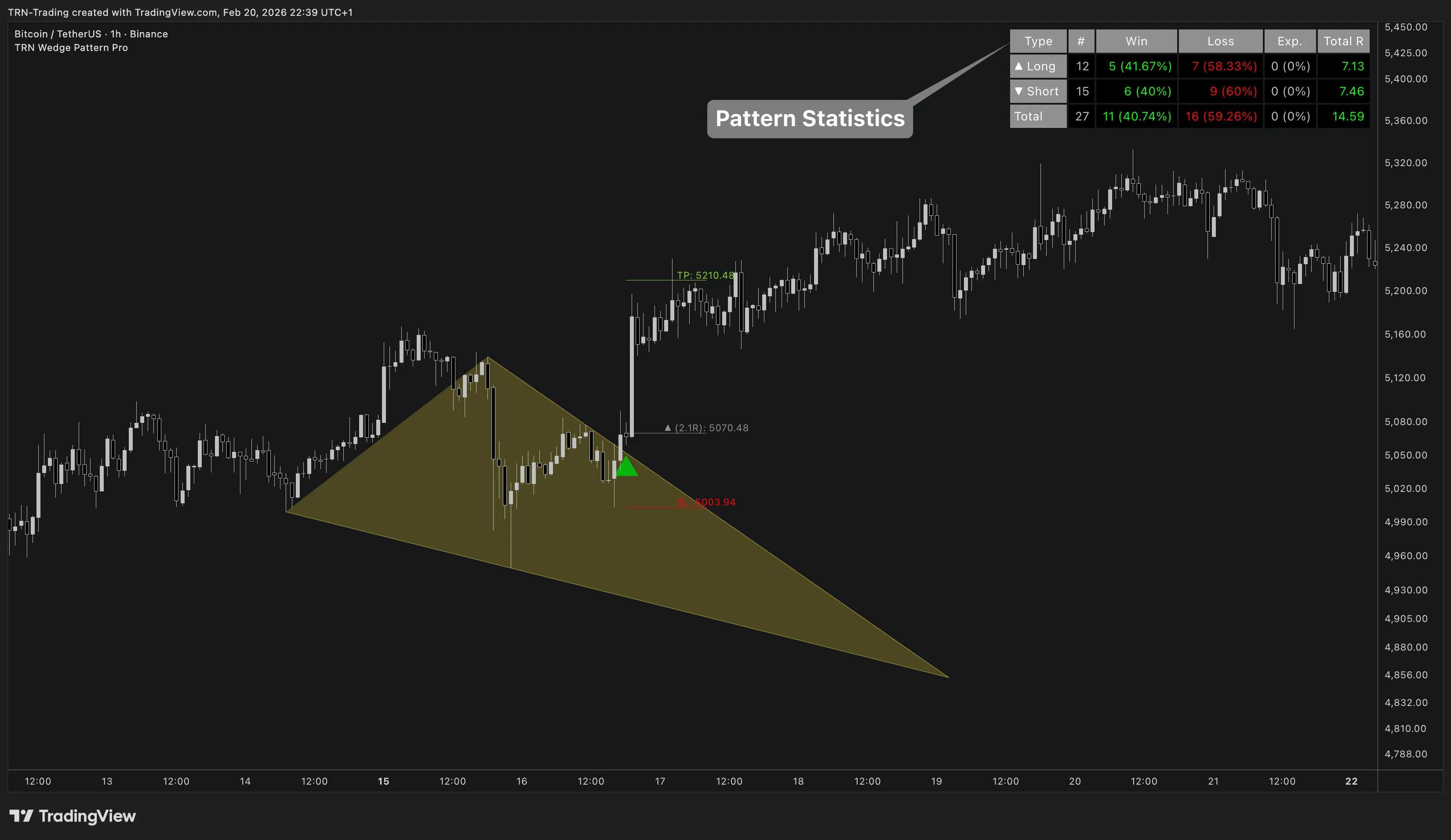
Wedge Pattern Pro includes a built-in statistics table that tracks the historical performance of detected wedge patterns on your chart. The statistics table lets traders validate whether their settings and instrument produce profitable wedge setups before risking real capital.
Statistics Table
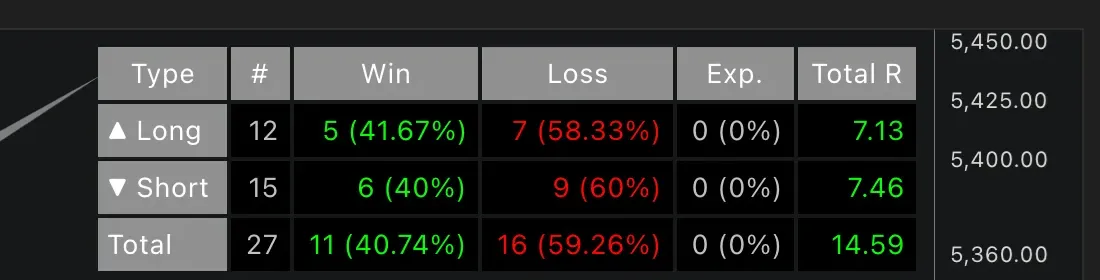
Wedge Pattern Pro displays performance metrics separately for long and short directions, plus a combined total row. The statistics table updates in real-time as new patterns complete on the chart.
| Column | What It Shows |
|---|---|
| # | Total number of completed trades |
| Win | Trades that hit take profit — count and percentage |
| Loss | Trades that hit stop loss — count and percentage |
| Exp. | Trades that expired (timed out) — count and percentage |
| Total R | Cumulative risk-adjusted return across all trades |
Understanding Total R
Total R measures cumulative performance in risk units. Total R is the single most important metric for evaluating whether your wedge pattern settings are profitable on a given instrument.
- Winning trade: Adds the realized risk/reward ratio. A 2R winner adds 2.0 to Total R
- Losing trade: Subtracts 1R from Total R
- Expired trade: Adds or subtracts a fractional R value based on the closing price relative to entry
A positive Total R means the wedge pattern setup is net profitable in risk-adjusted terms on the current instrument with the current settings.
Settings
| Setting | Default | What It Controls |
|---|---|---|
| Show Statistics | On | Toggle the statistics table on or off |
| Trade Timeout | 500 bars | Maximum trade duration before forced expiry |
| Styling Preset | Dark | Table color theme — Dark or Light |
| Location | Top Right | Table position on the chart |
| Text Size | 10 | Font size for table content |
Using Statistics to Optimize Settings
The statistics table is designed for systematic A/B testing. Change one variable at a time and compare Total R across different configurations.
Variables to test:
- Target mode — Compare Fixed RR vs. Pattern Height vs. Maximum
- Detection sizes — Test different swing sizes for your instrument's volatility
- Reverse breakout — Enable and compare Total R with and without reverse trades
- Trade direction — Compare long-only vs. short-only performance on trending instruments
- Timeframe — Run Wedge Pattern Pro on different timeframes to find where wedge patterns perform best
Test each variable independently. Changing multiple settings at once makes it impossible to isolate which change improved or degraded performance.
FAQ
What statistics does Wedge Pattern Pro track?
Wedge Pattern Pro tracks pattern occurrences, win rate (TP hit), loss rate (SL hit), expired trades (timed out), and cumulative Total R. All metrics are displayed separately for long and short directions, plus a combined total row.
What does the Total R column mean in Wedge Pattern Pro?
Total R is the cumulative risk-adjusted return across all wedge pattern trades. Each winning trade adds its realized risk/reward ratio, each losing trade subtracts 1R, and timed-out trades add or subtract based on the closing price relative to entry. A positive Total R means the strategy is net profitable in risk-adjusted terms.
How do I use Wedge Pattern Pro statistics to improve my trading?
Compare win rates between long and short directions on your instrument. If one direction consistently underperforms, filter it out with the Trade Directions setting. Test different target modes and detection sizes, then compare Total R to find the most effective combination for your market and timeframe.