Consolidation & H&S Scanner Settings
The Consolidation & Head and Shoulders Scanner offers detailed configuration for symbol management, pattern detection, and table visualization.
Symbol Configuration
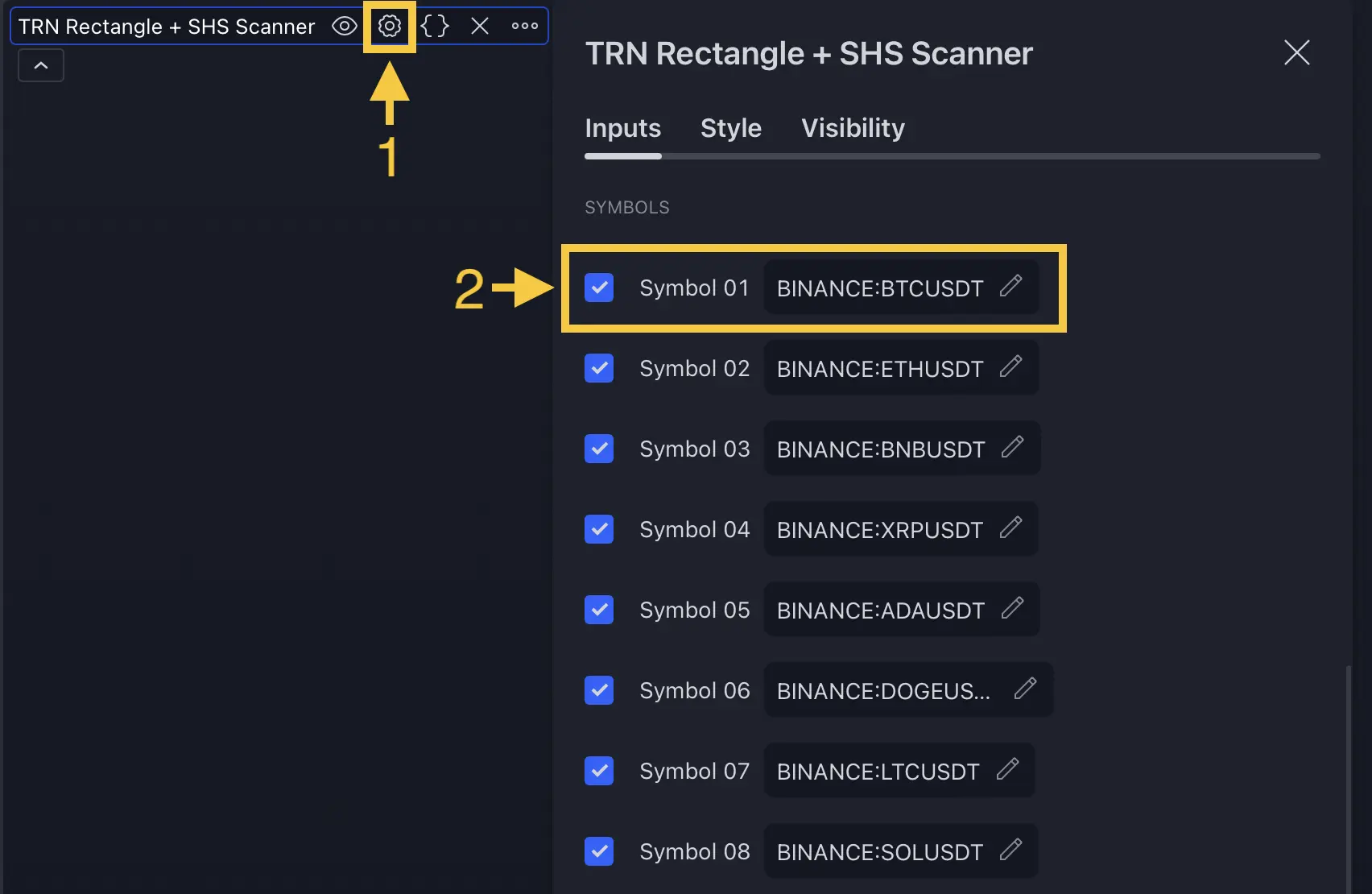
The scanner monitors up to 20 symbols simultaneously.
| Setting | Default | What It Controls |
|---|---|---|
| Symbols 1-10 | BTC, ETH, NQ, ES, CL, GC, EUR/USD, GBP/USD, AAPL, MSFT | Pre-configured symbol slots with individual on/off toggles |
| Symbols 11-20 | Empty | Custom symbol slots — enter any TradingView symbol identifier |
| Advanced Symbols | Off | Enables a text area for entering symbols as a comma/newline-separated list |
Detection Settings
General
| Setting | Default | What It Controls |
|---|---|---|
| Log Scale | On | Logarithmic price calculations for consistent detection across instruments |
Consolidation Detection
| Setting | Default | What It Controls |
|---|---|---|
| Pattern Size 1 | Tiny | Swing sensitivity for smaller-scale consolidation detection |
| Pattern Size 2 | Very Small | Swing sensitivity for larger-scale consolidation detection |
| Min Touch Points | 4 | Minimum boundary contacts to validate a consolidation range (3-20) |
| Accuracy | Very Low | How precisely boundaries must align — higher accuracy = stricter requirements |
Head and Shoulders Detection
| Setting | Default | What It Controls |
|---|---|---|
| Pattern Size 1 | Varies | Swing sensitivity for smaller-scale H&S detection |
| Pattern Size 2 | Varies | Swing sensitivity for larger-scale H&S detection |
| Accuracy | Varies | How strictly pattern geometry must conform |
| Straight Neckline | Off | Use horizontal neckline instead of sloped |
| Wick Filter | 0 (disabled) | Filter candles with small wicks from detection |
Pattern Size Presets (same for both consolidation and H&S):
| Preset | Swing Size |
|---|---|
| Tiny | 2 |
| Very Small | 4-5 |
| Small | 7-8 |
| Medium | 10-12 |
| Large | 16 |
| Very Large | 20 |
| Huge | 30 |
| Custom | 1-300 |
Table Styling
| Setting | Default | What It Controls |
|---|---|---|
| Styling Preset | Dark | Table color theme — Dark, Light, or Custom |
| Header Text Size | 10 | Font size for column headers (8-50) |
| Cell Text Size | 10 | Font size for table data (8-50) |
When Custom preset is selected, 14 individual color inputs become available for fine-grained table appearance control.
Use the Dark preset for most chart backgrounds. Switch to Light if you trade on white/light-colored charts. Custom mode is useful for matching the scanner table to your personal chart color scheme.
FAQ
How do I add custom symbols to the scanner?
The Consolidation and H&S Scanner has 20 symbol slots — 10 pre-configured and 10 custom. Enter any TradingView symbol identifier in an empty slot and toggle it on. Alternatively, enable the Advanced Symbols option to enter up to 20 symbols as a comma-separated list in a text area.
Can I use different detection sizes for consolidation and H&S patterns?
Yes, the Consolidation and H&S Scanner has independent detection settings for consolidation and head and shoulders patterns. Each pattern type has its own Pattern Size 1, Pattern Size 2, and Accuracy settings.
What does the Log Scale setting do in the scanner?
Log Scale (enabled by default) uses logarithmic price calculations for pattern detection. This ensures consistent detection quality across different price levels and instrument types — from penny stocks to high-priced futures contracts.